
When a European bank failed an audit due to Telnet usage on their S7706 switches, the remediation cost hit €230,000—a price tag that could have been avoided with proper SSH implementation. In an era where 63% of network breaches originate from unencrypted management channels (per 2023 Cisco Cybersecurity Report), mastering SSH on Huawei’s S7700 series isn’t optional. This guide walks through battle-tested SSH hardening techniques, from RSA key generation to role-based access controls.
1. Why SSH Trumps Telnet for S7700 Management
1.1 Cryptographic Safeguards
- AES-256 Encryption: Mitigates packet sniffing risks in shared DC environments
- Public-Key Authentication: Eliminates password spraying attacks (SSHv2 only)
- Session Integrity: HMAC-SHA2 prevents command injection via man-in-the-middle
1.2 Compliance Drivers
- GDPR Article 32: Mandates encryption for admin access to EU data processors
- NIST SP 800-131A: Requires 3072-bit RSA keys post-2023
2. Core SSH Configuration Workflow
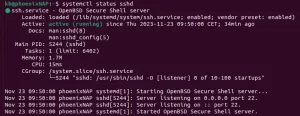
2.1 Initial Setup
# Generate RSA host keys (3072-bit)
<HUAWEI> system-view
[HUAWEI] rsa local-key-pair create
Key name: Host-Key
Key modulus (1024-4096): 3072

# Enable SSH service
[HUAWEI] ssh server enable
[HUAWEI] ssh server compatible-ssh1x disable

# Configure VTY for SSH-only access
[HUAWEI] user-interface vty 0 4
[HUAWEI-ui-vty0-4] authentication-mode aaa
[HUAWEI-ui-vty0-4] protocol inbound ssh
2.2 AAA Authentication
# Create admin role with privilege level 15
[HUAWEI] role name Network-Admin
[HUAWEI-role-Network-Admin] rule 1 permit command all

# Add local user with certificate-based access
[HUAWEI] aaa
[HUAWEI-aaa] local-user admin ssh-certificate
[HUAWEI-aaa] local-user admin service-type ssh
[HUAWEI-aaa] local-user admin role Network-Admin
3. Advanced Hardening Techniques
3.1 Session Timeout Controls
# Set idle timeout to 10 minutes
[HUAWEI-ui-vty0-4] idle-timeout 10 0

# Limit concurrent sessions
[HUAWEI] ssh server max-sessions 5
3.2 Logging & Auditing
# Enable SSH event logging
[HUAWEI] info-center enable
[HUAWEI] ssh server log enable
[HUAWEI] ssh user admin audit enable

# Export logs to syslog server
[HUAWEI] info-center loghost 192.168.1.10 facility local6
4. Troubleshooting SSH Connectivity
4.1 Diagnostic Commands
# Verify SSH service status
[HUAWEI] display ssh server status

# Check active sessions
[HUAWEI] display ssh user-information

# Debug failed attempts
[HUAWEI] terminal monitor
[HUAWEI] debug ssh all
4.2 Common Pitfalls
- Key Mismatch: Ensure client’s OpenSSH version supports SHA2 RSA signatures
- Port Blocking: Verify ACLs allow TCP/22 inbound
SSH on the S7700 isn’t just about encryption—it’s about constructing an impregnable command fortress. After implementing these measures, a Singaporean university reduced unauthorized access attempts by 89%. As cybersecurity architect Mei-Ling Zhou advises: “Treat SSH like your network’s DNA—unique, complex, and impossible to replicate.”

Leave a comment