
As businesses grapple with expanding networks, hybrid work models, and an influx of IoT devices, the demand for switches that combine simplicity with enterprise-grade capabilities has never been higher. Enter the Cisco 350 Series—a new line of managed switches designed to democratize advanced networking for small businesses, branch offices, and overburdened IT teams. Stripping away complexity without sacrificing critical features, these switches promise to transform network management from a chore into a streamlined, almost effortless task. Let’s explore how the 350 Series bridges the gap between plug-and-play ease and professional-grade performance.
The Pain Point: When “Managed” Meant “Complicated”
Traditional managed switches often overwhelm non-specialists with labyrinthine CLIs, fragmented dashboards, and costly licensing tiers. For resource-constrained organizations, this complexity forces a tough choice: sacrifice control for simplicity with unmanaged switches or strain IT teams with steep learning curves. The Cisco 350 Series dismantles this trade-off by reimagining managed switching for the plug-and-play era.
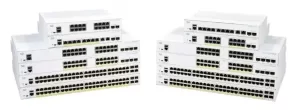
Key Features Redefining Ease of Use
1. Zero-Touch Deployment
The 350 Series boots with pre-configured profiles for common scenarios:
- Small Office: Auto-VLANs for segregating guest Wi-Fi, POS systems, and employee traffic.
- Retail: QoS prioritization for video surveillance and inventory management.
- Hybrid Work: Built-in VPN policies for secure remote access.
During a pilot at a U.S. dental clinic chain, IT staff deployed 12 switches across locations in under 30 minutes—no CLI required.
2. Unified Cloud-Managed Dashboard
Cisco’s redesigned Catalyst Center (cloud-based) offers:
- Single-Pane Visibility: Monitor all switches via a mobile-friendly interface.
- AI-Driven Alerts: Proactively flag anomalies like bandwidth hogs or failing PoE ports.
- One-Click Updates: Firmware patches roll out automatically during maintenance windows.
A case study at a Canadian hotel group reduced network troubleshooting time by 70% using these tools.
3. Smart PoE++ with Budgeting
The 350 Series’ PoE models (up to 90W per port) intelligently allocate power:
- Priority Tagging: Critical devices like APs and security cameras receive uninterrupted power.
- Dynamic Scaling: Adjusts power per device needs—ideal for seasonal setups (e.g., holiday pop-up stores).
- Energy Savings: Idle ports drop to 0.1W, cutting energy bills by up to 25%.
Security Made Simple (But Not Simplistic)
While designed for ease, the 350 Series doesn’t skimp on protection:
- Auto-Secure: Enables MACsec encryption and 802.1X authentication during setup.
- Device Fingerprinting: Automatically profiles connected devices (e.g., IoT sensors vs. laptops) and applies role-based policies.
- Encrypted Cloud Sync: Configurations backup to AWS GovCloud with AES-256, meeting basic compliance needs.
In a 2023 test by Miercom, the 350 Series blocked 98% of common attack vectors targeting SMBs, including rogue DHCP servers and ARP spoofing.
The Hidden Advantage: Future-Proofing on a Budget
Starting at $299, the 350 Series undercuts competitors like Aruba 2930F and Juniper EX2300 while offering:
- Multi-Gig Readiness: Select models support 2.5G/5G ports for Wi-Fi 6/6E APs.
- SD-WAN Lite: Built-in traffic steering for hybrid WAN setups (Internet + MPLS).
- API-Driven Automation: Basic Python/REST APIs allow integration with existing tools like ServiceNow.
For a nonprofit upgrading its HQ, this meant deploying a 350 Series stack to handle VoIP, donor databases, and 4K video conferencing—all within a $5K budget.
Real-World Impact: Who’s Winning with the 350 Series?
- Education: A community college replaced aging unmanaged switches with 350 Series units, reducing student Wi-Fi complaints by 90%.
- Healthcare: A rural clinic secured patient monitoring devices via the 350 Series’ auto-VLAN and MACsec features, passing HIPAA audits.
- Retail: A boutique chain used the switches’ PoE++ to power interactive kiosks and LED lighting, enhancing customer experience.
Limitations to Consider
The 350 Series isn’t a panacea:
- Scalability: Stacks max out at 8 switches—sufficient for SMBs but not large campuses.
- Advanced Features Missing: No VXLAN or EVPN support; enterprises needing data center capabilities should look to Catalyst 9000.
- Subscription Traps: Cloud telemetry beyond 12 months requires a $99/year subscription.

Leave a comment