
You’ve meticulously locked down firewalls, deployed cutting-edge endpoint protection, and encrypted all your sensitive data. Yet, critical switch management access relies on Telnet – the digital equivalent of shouting passwords across a crowded server room. That’s not a vulnerability; it’s an engraved invitation for troublemakers. Proper Cisco switch SSH setup isn’t some optional networking nicety; it’s the fundamental barrier separating your critical infrastructure from catastrophic compromise. Skipping this step, botching the configuration, or treating it as an afterthought fundamentally undermines every other security control you’ve implemented. Why? Because those switches route everything. Lose control of them, and an attacker owns your traffic flows, can intercept data, shut down operations, or pivot deeper into your systems. Get this setup wrong, and you’ve essentially handed over the master keys to your network kingdom on a rusty, easily picked lock. Every unencrypted management session, every weak credential, every misconfigured access list is a potential headline waiting to happen.
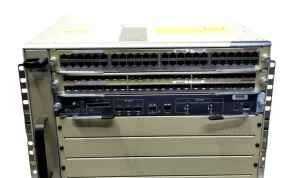
Now, addressing the elephant in the server closet: Is Your Network Leaking Keys Like an Open Door? Absolutely – if you’re still using Telnet for switch management or have implemented SSH half-heartedly. Telnet sends everything, including usernames and passwords, in clear text across the network. It’s trivial to intercept. SSH encrypts the entire session, making snooping useless. But simply enabling SSH isn’t enough; weak configurations offer false security. Here’s exactly how to slam that door shut and bolt it permanently:
- Nuke Telnet, Relentlessly: First step? Kill Telnet with fire. Globally. Forever. On every Cisco switch. Stop leaving that backdoor cracked open. It’s not just
no transport input telneton VTY lines. Executetransport input sshexclusively. Better yet, rip out the Telnet service entirely:no ip telnet server. Leaving Telnet available, even if not the default access method, is an unnecessary risk. Someone will find a way to enable it accidentally or maliciously if it’s present. - Forge Unbreakable SSH Keys: SSH relies on cryptographic key pairs. Using the default or weak keys is like securing Fort Knox with a child’s padlock. Force the strongest key types:
crypto key generate rsa modulus 4096orcrypto key generate ecdsafor enhanced security and efficiency. Regenerate these keys periodically – think annually or after significant personnel changes. Treat leaked keys like leaked passwords: as a potential breach requiring immediate key rotation. - Demand Modern Protocol Versions: Old, vulnerable SSH versions (like SSHv1) are digital poison. Configure
ip ssh version 2globally to enforce only SSHv2. This eliminates known critical flaws present in earlier versions. Don’t allow fallback or negotiation to weak versions. Your switch’s config should scream “SSHv2 Only.” - Tighten Access with ACLs: Restrict who can even attempt an SSH connection. Don’t allow SSH access from the entire internet. Create dedicated management networks or VLANs. Apply robust access control lists (
ip access-class [ACL-NAME] in vty [line-range]) to your VTY lines, permitting only SSH from approved, hardened management stations or jump hosts. Explicitly block everything else. This dramatically shrinks your attack surface. - Banish Idle Sessions & Weak Authentication: Inactive sessions are silent risks. Set aggressive timeouts:
exec-timeout [min] [sec]on all VTY lines (e.g.,exec-timeout 10 0for 10 minutes). Combine this with rigorous password policies – complexity, regular changes, multi-factor authentication (TACACS+/RADIUS) ideally enforced centrally. Never use simple local credentials solely. Leveragelogin authentication [AAA-LIST]. Even with SSH, weak passwords invite brute-force attacks. - Secure the Management Plane: Isolate switch management traffic on a dedicated Management VLAN. Configure the switch’s management interface (SVI or physical) solely within this protected VLAN. Route management traffic carefully. This prevents unauthorized devices, even on internal networks, from probing for open SSH ports or sniffing traffic if another layer is breached.
- Silence the Noise: Disable unnecessary services that could leak information or provide attack vectors supporting SSH breaches.
no ip http server,no ip http secure-server(unless strictly needed and hardened),no cdp runor restrict it aggressively. A leaner switch config is inherently a more secure switch config. - Log Aggressively & Verify Ruthlessly: Ensure SSH login attempts (successes and failures) are logged and centrally monitored (
logging host [syslog-server],logging trap debugging). Regularly audit your switch configurations (show run | section ssh|vty|ip access). Verify connectivity using only SSH from permitted hosts. Test from non-permitted hosts to confirm they are blocked as expected. Trust, but verify relentlessly.
Letting your Cisco switch SSH setup remain neglected or improperly configured isn’t just lazy; it’s actively negligent. Every minute an unsecured management channel exists, the risk compounds. The keys to your network’s control are in the SSH configuration. Weak keys, open backdoors (Telnet), broad access, and weak authentication protocols mean you are leaking access – it’s just a matter of time before someone exploits it. Implementing SSH isn’t a checkbox; it’s constructing a hardened, monitored access channel designed to withstand persistent attempts to pry it open. Done correctly – with strong crypto, locked-down access, mandatory timeouts, central authentication, and vigilant logging – your Cisco switch SSH setup transforms from a potential gaping hole into a formidable, actively defended barrier. It shifts the dynamic from hoping you won’t be compromised to knowing you’ve made it incredibly difficult and detectable. Don’t gamble with your core infrastructure; lock it down properly. Verify those keys, kill those idle sessions, enforce those ACLs, and ditch Telnet for good. Secure remote management isn’t optional; it’s your network’s lifeline. Ensure it’s encrypted, restricted, and robust. That open door slams shut today.

Leave a comment