
Alright, picture this: you’ve just unpacked that shiny new H3C switch. Anticipation’s high – you’re ready to slot it into the rack, configure VLANs, optimize traffic flow, and build that rock-solid network backbone. But then… silence. Your browser stares back blankly. You can’t even find the beast to log in. That magic gateway – the default IP address – is suddenly the single biggest hurdle between you and getting the job done. It’s the digital equivalent of losing the key before unlocking the door. For anyone deploying, managing, or troubleshooting H3C gear, knowing how to access that initial configuration isn’t just trivia; it’s fundamental. This basic step shouldn’t turn into a deployment killer, yet surprisingly often, it does. Understanding the default IP address landscape and navigating potential access roadblocks is absolutely critical before diving into the deep end of H3C switch configuration. Missing this foundational piece derails everything else.
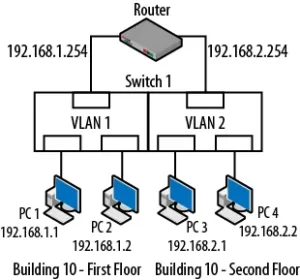
So, what common tripwires block your initial access path? Let’s walk through the real-world hiccups network pros face daily, moving beyond “just type the IP.” First, let’s talk physical connectivity – sounds simple, right? But you’d be surprised. Plugging into a non-management port (like stacking ports or SFP uplinks meant for data, not config) guarantees radio silence. The H3C switch default IP address is almost always accessible only via the dedicated management port (often labelled MGMT or Console) or specific Gigabit Ethernet ports designated in the quick start guide. Grabbing the wrong port is mistake number one. Second, the IP conflict tango. That default IP (commonly 192.168.1.1, 192.168.0.1, or something similar, always check the specific model’s documentation!) might already be living on your network. Your PC assigned it to a printer? Another device grabbed it via DHCP? Suddenly, trying to reach the switch collides head-on with another gadget, and neither wins. Your browser will timeout, error out, or show you the wrong login page entirely. Third, the sneaky DHCP server interference. While many switches default to a static default IP address, some models might try pulling a lease first. If another DHCP server on the network replies faster than you can blink, the switch ends up with a different IP address than the one you expect. Finding it then feels like searching for a needle in a haystack without a magnet. Fourth, reset roulette. Sure, the hardware reset button is the nuclear option – pressing it will usually blast the config back to factory defaults, including the default IP address. But hold on: doing this blindly wipes all configuration. Did someone already configure basic management settings? A reset destroys that work. It’s a valuable tool, but also a potential last resort that costs time if used unnecessarily. Lastly, browser blues. Cached credentials, aggressive HTTPS-only settings, or restrictive firewalls can sometimes prevent even a valid connection attempt. Clearing cache, trying a different browser (or incognito mode), temporarily disabling the local firewall – these simple steps often crack open the door when you’re sure everything else should work. Avoiding these common pitfalls requires methodical checking, starting from the physical layer up.
Never underestimate how much friction a missing default IP address can create. That initial access point to your H3C switch is the bedrock of management, monitoring, and securing the entire device. A hiccup here cascades into deployment delays, troubleshooting headaches, and mounting frustration. Mastering these access fundamentals – verifying physical connections, anticipating IP conflicts, understanding DHCP interactions, using reset judiciously, and checking the local client environment – ensures you hit the ground running. It transforms that initial stumbling block into the confident first step of harnessing the true power of your H3C switch. Getting past the login screen reliably means you can focus on building the robust, high-performance network you planned for in the first place.

Leave a comment