
That price tag looks tempting. Stacking a few Cisco C1000 switches for a new branch office or classroom wing seems like a budget win. They promise Cisco reliability without the flagship price, handling basic VLANs and PoE for phones or APs. But then reality hits: a sudden department expansion, a new IP camera rollout, or VoIP traffic choking the uplinks. Suddenly, those “simple” access switches feel like bottlenecks waiting to burst. Is deploying the C1000 series just kicking the can down the road, setting you up for a costly forklift upgrade when growth inevitably arrives? Or does this unassuming hardware hold hidden headroom to evolve gracefully, proving that “entry-level” doesn’t have to mean “dead-end”?
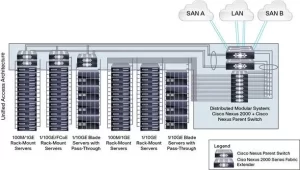
Dismissing the Cisco C1000 as merely basic overlooks its strategic potential when deployed with foresight. Scaling isn’t about turning it into a core monster; it’s about maximizing its capabilities within its designed access layer niche while planning escape routes. First, confront the stacking reality. Models like the C1000-24T-4G-L support stacking via dedicated ports, but typically cap at 4 units. This creates a single management point and shared uplink bandwidth – crucial for simplifying operations. Need more ports? Add another stack member (switch *stack-member-number* renumber *new-number*). But hitting the 4-switch limit signals it’s time for a distribution layer, not overloading the stack. Treat the stack as a modular access block, not the entire network. Plan uplinks wisely: use those 4x 1G uplinks or 2x 10G uplinks (on models like C1000-48T-4X-L) in port-channels (channel-group *number* mode active) to avoid uplink saturation as device count grows. Ignoring uplink capacity planning guarantees future congestion.
Power over Ethernet (PoE) is the silent scalability killer. The C1000 series offers PoE variants, but the total PoE budget is the critical metric, not port count. A C1000-48P-4X-L might boast 48 PoE+ ports, but its max budget (~370W) dictates reality. Powering 30 VoIP phones (7W each)? Easy. Adding 10 Wi-Fi 6 APs (20W each)? Suddenly you’re at 370W – maxed out. Future IP cameras (30W+) or digital signage? Impossible without disabling ports. Scaling PoE demands requires meticulous planning:
- Audit actual device power draw (
show power inline), not just specs. - Reserve ports/high-power budgets for future high-wattage devices upfront.
- Mix non-PoE switches for purely data devices to conserve budget.
- Consider C1000 models with higher budgets if PoE growth is anticipated.
Underestimating PoE needs forces premature forklift upgrades. That “cost-effective” switch becomes expensive when you need to replace half your access layer.
VLAN and segmentation flexibility is where the C1000 punches above its weight. While primarily an L2 access switch, it handles Layer 3 Lite routing (ip routing command) for basic inter-VLAN routing on smaller networks or within a branch. This avoids funneling all traffic upstream unnecessarily. Need tighter security? Implement Private VLANs (PVLANs) (vlan *pvlan-primary*, private-vlan primary, private-vlan association *secondary-list*) to isolate devices within the same subnet – perfect for guest networks or IoT device segregation without subnet explosion. Leverage DHCP Snooping (ip dhcp snooping, ip dhcp snooping vlan *number*, ip dhcp snooping trust on uplinks) and Dynamic ARP Inspection (DAI) (ip arp inspection vlan *number*) directly on the C1000 to block rogue DHCP servers and ARP spoofing at the edge. These features prevent localized attacks from escalating, buying time before needing higher-tier security appliances. Configuring them effectively (show ip dhcp snooping, show ip arp inspection) extends the C1000’s security relevance as threats evolve.
Operational agility determines long-term viability. The C1000 runs Cisco IOS XE Lite, offering robust CLI automation (ansible_network_os: ios). Use this to your advantage:
- Create configuration templates (
vlan templates,port profiles) for rapid, consistent deployment of new switches or ports. - Automate repetitive tasks (port security enablement, VLAN assignments) via scripts.
- Utilize
Embedded Event Manager (EEM)for basic self-healing (e.g., automatically disabling a port flapping excessively).
Masteringshowcommands (show interface status,show interface counters,show version) enables proactive health monitoring, spotting bandwidth saturation (input/output rate), error spikes (CRC,runts), or memory leaks before they cause outages. This operational efficiency offsets hardware limitations, allowing fewer staff to manage more devices effectively.
Therefore, labeling the Cisco C1000 Switch an “entry-level trap” only holds true if deployed thoughtlessly. Its scaling potential lies in strategic access layer design:
- Treat stacks as manageable blocks, not infinite expansion.
- Ruthlessly manage PoE budgets – they define real-world port capacity.
- Exploit L3 Lite routing, PVLANs, and edge security (
DHCP Snooping,DAI) to handle complexity locally. - Embrace CLI automation and proactive monitoring (
showcommands) for operational leverage.
It won’t transform into a core switch, but within its tier, it offers surprising scalable access layer potential. Success hinges on understanding its constraints: PoE ceilings, stacking limits, and processing boundaries. Deploy it where growth means adding more similar devices (users, standard phones/APs), not radically changing traffic patterns or demanding massive power. Use it as a stepping stone towards a hierarchical design, knowing when to introduce distribution switches (CBS350, C9300) above it. For budget-conscious projects needing Cisco reliability without overkill, the C1000 provides a capable, manageable foundation that can scale further than expected – if you plan its role meticulously and leverage its full feature set from day one. It’s not about avoiding upgrades forever; it’s about maximizing value and creating a predictable growth runway before the next investment. Ignore its limits, and it becomes a trap. Master them, and it’s a strategic enabler.

Leave a comment