
Staring at a blinking console port while mission-critical applications crash? That sinking feeling of network blindness hits every admin when switches go dark. Legacy diagnostic tools often bury critical clues under layers of vague alerts or GUI fluff. That’s where mastering the h3c switch display interface command becomes non-negotiable—it’s your surgical scope into switch health. Forget fishing through dashboard widgets; this CLI workhorse delivers real-time, unfiltered interface telemetry directly from the ASIC. From spotting micro-errors silently killing VoIP quality to uncovering misconfigured duplex settings strangling backups, this single command exposes root causes other tools gloss over. But raw data dumps alone don’t fix networks. The real test is whether network teams can truly leverage this granular visibility to drastically reduce downtime—or drown in CLI noise instead.
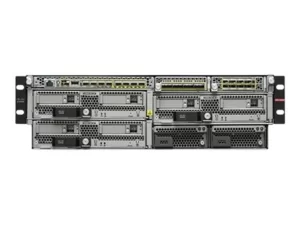
So, can translating display interface output genuinely slash outage durations? Absolutely, but only if admins crack its diagnostic code. Here’s how to transform cryptic logs into action:
1. Decoding Physical Layer Ghosts in Plain Sight
Ever had a “healthy” port drop packets randomly?
Display interface GigabitEthernet 1/0/10 reveals truths like:
Input: 1000 packets, 0 bytes, 5 CRC errors
Those CRC errors scream physical layer issues—bent pins, EMI interference, or cable runs exceeding 90 meters. Spotting >0.01% CRC rates means grabbing a cable tester before users revolt. Similarly, output errors with collisions point to duplex mismatches; a forced 1Gbps port facing an auto-negotiating device cripples throughput silently. Fix it in minutes:
Interface G1/0/10
Duplex full
Speed 1000
2. Spotting Bandwidth Bandits Before Peaks Hit
Latency spikes during backups? Output rate : 983,456 bps, 94% utilization flags impending saturation. But which traffic? Pair with display qos interface stats to see if Accounting traffic floods the queue. Solution: Schedule backups off-peak or deploy interface rate-limit policies targeting TCP/445 traffic.
3. Hunting Broadcast Storms at Ground Zero
Network crawling? Check:
Broadcast: 25421 packets input, 98214 packets output
Input broadcasts exceeding 1,000ppm indicate a broadcast storm—likely a looped cable or misbehaving IoT device. Isolate the port showing abnormal input broadcast spikes, then trace connected devices. Enable storm-control thresholds to auto-block rogue floods.
4. Unmasking Resource Exhaustion Killers
Last clearing of counters: 2 weeks ago and Input queue: 0/2000/0 (size/max/drops) tell two stories:
- Input drops mean packets arrived faster than the switch could buffer them—upgrade access switches or optimize traffic paths.
- Zero clearing suggests stale data; run
reset counters interfaceweekly for accurate baselines.
5. Diagnosing Flapping Ports Like a Surgeon
If display interface shows:
Port link-state: UP (5 changes in last 10 minutes)
And Link duplex: Half (was Full), Speed: 100Mbps (was 1Gbps)
You’ve got a flapping port. Blame failing transceivers, thermal stress, or EMI. Replace SFP modules immediately or relocate switches away from HVAC units.
6. IRF Stack Troubleshooting Simplified
For stacked H3C switches (like the CSS/IRF series), display irf topology combined with display interface Ten-GigabitEthernet IRF-Port1 exposes intra-stack bottlenecks. Spot output drops on IRF physical links? Increase stacking bandwidth or optimize member roles.
7. Security Leak Detection via Traffic Anomalies
Sudden spikes in Unknown protocols or Input: 0 packets, 1,245,781 bytes suggest traffic tunneling (e.g., SSH tunneling over HTTP). Freeze the port with shutdown, then audit with display acl rules blocking unexpected protocols.
The h3c switch display interface output isn’t just data—it’s the switch whispering its pain points. Admins who master its syntax move from reactive firefighters to predictive surgeons. Crashing CRC rates signal cable replacements before outages. Rising broadcast counts trigger loop hunts during coffee breaks. Flapping port logs preempt hardware swaps ahead of failure windows. This command transforms downtime from hours of frantic guesswork into minutes of targeted action. When every second of application downtime bleeds revenue, the difference between raw CLI output and interpretive mastery isn’t technical—it’s existential. Teams leveraging this depth of visibility don’t just resolve incidents faster; they architect networks that fail less often and recover instantaneously. Because in the trenches, trusting a GUI health “green light” gets managers fired. Decoding display interface saves careers.

Leave a comment