
Swapping out the IP address on a Cisco switch feels like one of those fundamental chores, doesn’t it? You know it’s essential, maybe even routine for the network team, yet its impact ripples far wider than just updating a few digits in a configuration file. Getting this right isn’t just about connectivity; it’s the bedrock of reliable network access, smooth VLAN operations, secure management, and future-proofing your infrastructure when segments shift or new gear comes online. Neglecting this seemingly simple change can cascade into access headaches, security blind spots, or management nightmares. Understanding the how and why behind changing the IP on your Cisco switch is non-negotiable for anyone serious about maintaining a resilient, agile network foundation. So, let’s dive into why it matters and get the specifics down pat.
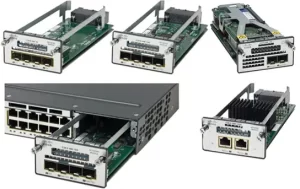
For starters, the how. Connecting via console cable (good old trusty RS-232!) remains the safest initial step, especially if the current IP is inaccessible. Once you’re in at the CLI prompt (the switch> or switch# mode), privileged EXEC mode is your gateway (enable followed by the secret). The real action happens in global configuration mode (configure terminal). Navigating to the interface handling your management traffic – typically VLAN 1, but always check your config (show running-config | include interface Vlan is your friend) – is key. The command sequence is straightforward: interface vlan [your_vlan_number], then ip address [new_ip] [new_subnet_mask]. Don’t forget the lifeline: no shutdown ensures the interface wakes up. Crucial step – set or update the default gateway (ip default-gateway [gateway_ip]) so the switch knows how to reach beyond its local subnet. Finally, make it stick by saving the running config to startup (copy running-config startup-config or wr mem). Sounds simple? It is, mostly. But the devil, as they say, lurks in the details – like ensuring no IP conflicts or overlapping subnets before you commit.
Now, the transformation part. Changing that switch IP isn’t just changing an address; it’s reshaping how you interact with and control your network fabric. Think about streamlined access. Assigning logical, well-documented management IPs within a dedicated admin subnet makes accessing switches via SSH or your network management platform (like Prime or SolarWinds) intuitive and secure. No more frantic searches through spreadsheets for that one random IP assigned years ago. Security gets a major boost too. Moving away from the default VLAN 1 IP or addresses inherited from staging reduces vulnerability to automated scans targeting common defaults. Integrating the new IP seamlessly into your access control lists (ACLs) and firewall rules for management traffic tightens the perimeter. Scalability suddenly becomes less painful. When you’re adding new racks or renumbering segments, having a clear, consistent IP scheme for switch management means you can deploy and configure new switches rapidly, following a template, rather than wrestling with unique, undocumented addresses. Troubleshooting also gets easier. Consistent IP patterns help pinpoint a problematic switch faster during outages. Want to push a config update via TFTP? Knowing the precise, reliable IP saves time. Need to check port statuses or CPU load remotely? A predictable management IP scheme makes it trivial. Aggregating syslog or SNMP trap data becomes reliable when source addresses are consistent and routable. Essentially, a consciously managed switch IP scheme turns reactive firefighting into proactive network governance. It centralizes control, enhances visibility, and builds predictable pathways for administration.
Yeah, hiccups happen. Maybe you fat-finger the subnet mask, lock yourself out, or find DHCP snooping interfering (that’s why configuring a static IP correctly is vital!). That’s when reverting to the console cable becomes your safety net. Consistent practice and meticulous documentation – maybe a simple network diagram with management IPs highlighted – are your best armor against frustration. Check reachability (ping the gateway, ping another device), verify VLAN configs (show vlan brief), and write mem!
Think about the day-to-day grind. Without a solid management IP strategy, onboarding a new tech becomes a scavenger hunt for switch addresses. Integrating a switch into monitoring? It might involve chasing down credentials or figuring out why SNMP polls fail due to an unreachable IP. Changing a switch IP proactively, as part of a planned network hygiene or security uplift, bypasses these frictions. It lays down tracks for automation scripts to run smoothly, ensures backup systems reliably archive the right configs, and provides a stable anchor point for services like NetFlow. The administrative overhead plummets, while reliability and control soar. It’s one command sequence on one device, but the cumulative effect across dozens or hundreds of switches fundamentally alters the network management landscape from chaotic to controlled.
Mastering the simple act to change IP Cisco switch gear might seem like elementary networking. Yet, this precise task—done thoughtfully, documented clearly, and integrated into your network’s logical structure—unlocks genuine operational transformation. It shifts network management from a constant battle against entropy into a structured, scalable practice. Assigning that deliberate IP address and subnet mask is more than configuration; it’s establishing order and control. It enables seamless remote access, fortifies security postures by moving beyond defaults, and crucially, builds the predictable foundation required for automating repetitive tasks and scaling operations without chaos. The confidence gained from knowing exactly how to change it and understanding its strategic value prevents minor network adjustments from snowballing into major disruptions. Ultimately, viewing IP address management on critical infrastructure like your Cisco switch not as a chore, but as an investment in administrative clarity and future flexibility, truly reshapes how effectively you govern and evolve the network. It’s the quiet, consistent action that empowers smoother management every single day.

Leave a comment