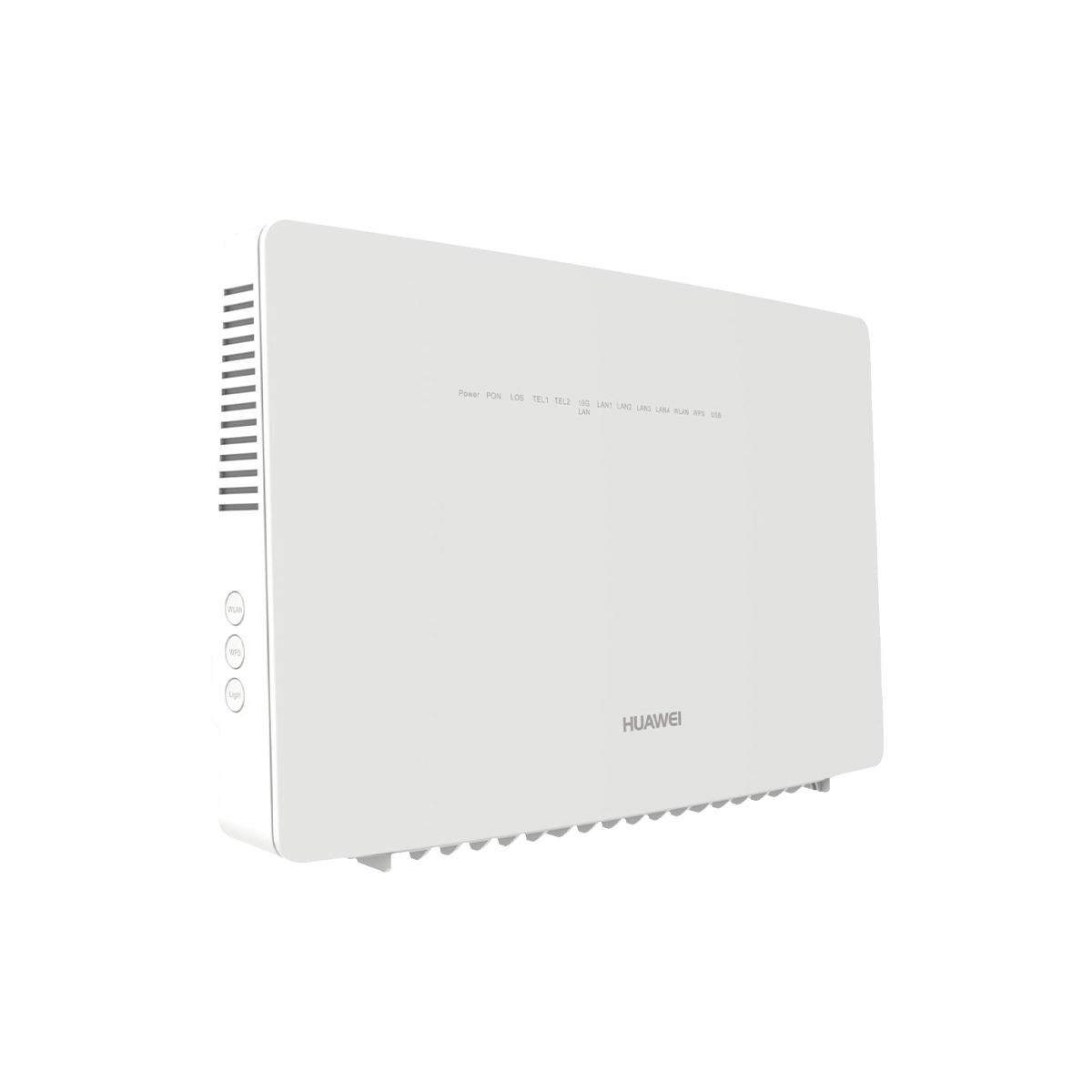



HN8255WsHot

0 Reviews Write a review 1.6k Solds
SKU2038371
AvailabilityIn Stock
WarrantyUp to 36 months i
×
Warranty Policy
We provide a comprehensive warranty policy.
Refer to the table for more details.

Huawei EchoLife HN8255Ws XGS-PON ONT with 4*GE+1*10GE+2*POTS+2*USB+2.4G&5G WiFi

Description

HN8255Ws Overview

The Huawei EchoLife HN8255Ws is an XGS-PON routing-type ONT in the Huawei all-optical access solution. It uses the XGS-PON technology to implement ultra-broadband access for users. It provides 4 GE+1 10GE+2 POTS+2 USB+2 WiFi(4 GE ports, 1 10GE port,2 POTS ports, 2 USB port, 1 2.4G WiFi port and 1 5G WiFi port). The high forwarding performance ensures the user experience of voice, data and HD video services, and provides customers with an ideal all-optical access solution and future-oriented service support capability.


Product Functions

1.Smart Interconnection

• Smart Wi-Fi coverage
• SIP/H.248 auto-negotiation
• Any port any service
• Parental control

2. Smart Service

• Smart Wi-Fi sharing:
Portal/802.1x authentication
SoftGRE-based sharing
• Association of one account with two POTS ports

3. Smart O&M

• IPTV video quality diagnosis
• Variable-length OMCI messages
• Call emulation, and circuit test and loop-line test
• PPPoE/DHCP simulation testing
• Wi-Fi emulation
• One-click diagnosis (Web)

4. Layer 3 Features

• PPPoE/Static IP/DHCP
• NAT/NAPT
• Port forwarding
• ALG, UPnP
• DDNS/DNS server/DNS client
• IPv6/IPv4 dual stack, and DS-Lite
• Static/default routes
• Multiple services on one WAN port

5. Multicast

• IGMP v2/v3 proxy/snooping
• MLD v1/v2 snooping
• Multicast services through Wi-Fi

6. Home Network

• Home network control center
• Configuration synchronization to distributed PnP APs
• Wi-Fi signal optimization within the home network
• Wi-Fi roaming within the home network
• Band steering
• Beamforming
• Wi-Fi video QoS improvement

7. QoS

• Ethernet port rate limitation
• 802.1p priority
• SP/WRR/SP+WRR

8. Security

• SPI firewall
• Filtering based on MAC/IP addresses

9. Common O&M

• OMCI/Web UI/TR069
• Dual-system software backup and rollback

10. Power Saving

• COC V5
• Scheduled Wi-Fi shutdown

Hardware specifications

Item Specifications
Operating temperature 0°C to 40°C
Operating humidity 5% RH to 95% RH (non-condensing)
Power adapter input 100-240 V AC, 50/60 Hz
System power supply 11-14 V DC, 4 A
Static power consumption 9.6 W
Maximum power consumption 46.5 W
NNI XGS-PON ( SFP+ Optical Module )
UNI 2 x POTS + 4 x GE + 1 x 10GE + 2.4G&5G Wi-Fi + 2 x USB
Indicators Power/PON/LOS/TEL/10G LAN/LAN/WLAN/WPS/USB
Dimensions (H x W x D) 198 mm x 305 mm x 82.5 mm
Weight < 1200 g
 

Interface parameters

Type Parameters
XGS-PON Port • Class N1/N2 • Receiver sensitivity: -28 dBm • Wavelengths: US 1260-1280 nm, DS 1575- 1580 nm • Wavelength blocking filter (WBF) • Flexible mapping between GEM Port and TCONT • SN/Password/SN+Password/Bi-directional authentication based on OMCI • upstream and downstream FEC • SR-DBA and NSR-DBA • 10 Gbit/s upstream, 10 Gbit/s downstream
Ethernet Port • 4 x GE + 1 x 10GE • Ethernet port-based VLAN tags and tag removal • 1:1 VLAN, N:1 VLAN, or VLAN transparent transmission • QinQ VLAN • Limitation on the number of learned MAC addresses • MAC address learning
POTS Port • Maximum REN: 4 • G.711A/μ, G.729a/b, and G.722 encoding/decoding • T.30/T.38/G.711 fax mode • DTMF • Emergency calls (with the SIP protocol)
USB Port • USB2.0 • USB3.0 • FTP-based network storage • File/Print sharing based on SAMBA • DLNA DMS/UPnP AV (media server)
Wi-Fi • IEEE 802.11 b/g/n (2.4G) • IEEE 802.11 a/n/ac (5G) • 3×3 MIMO (2.4G) • 4×4 MU-MIMO (5G) • Antenna gain: 2 dBi • 2.4-2.4835 GHz EIRP 100 mW • 5.15-5.25 GHz/5.25-5.35 GHz EIRP 200 mW; 5.47-5.725 GHz EIRP 1000 mW Note: These are EIRP values in the CE standard. • WMM (Wi-Fi Multi Media) • Multiple SSIDs • WPS • 2.4G/5G concurrent • Air interface rate: 2. 4G: 450 Mbit/s 5G: 1733 Mbit/s

How to obtain Huawei ONT default IP address

Huawei EchoLife ONT include HG8010, HG8010H, HG8045, HG8045A, HG8240, HG8240H, HG8240T, HG8240W, HG8245, HG8245H, HG8245Q, HG8245T, HG8247, HG8247H, and router etc.

Look for the default IP address on the nameplate on the rear side of an ONT. Generally, the IP address is 192.168.100.1 or 192.168.1.1.


How to obtain huawei EchoLife ONT default username and password

1. Default password of logging to web management interface.

You can obtain default username and password on the product nameplate.

2.Default password of Wi-Fi.

You can obtain default username and password on the product nameplate.


What do I do if I forget the Wi-Fi password of Huawei ONT

1. Check whether the Wi-Fi password of the ONT has been changed. The default Wi-Fi name (SSID) and password of the ONT are displayed on its nameplate.

2. If the Wi-Fi password has been changed, you can log in to the ONT web page to retrieve or change the password. Specifically, log in to the ONT web page (with reference to section How to login huawei EchoLife ONT). On the main menu, choose WLAN > 2.4G/5G Basic Network Settings. In WPA PreSharedKey , do not select Hide. You can also enter a new password and click Apply for the new password to take effect.

Additional information

Brand

Huawei

Reviews

There are no reviews yet.

Be the first to review “HN8255Ws”

Your email address will not be published. Required fields are marked *

  ×  3  =  3

Back to Top

Search For Products

Product has been added to your cart