
Look, we’ve all been there. You’re staring down an aging core switch – maybe a Cisco Catalyst 4507, a solid workhorse that’s served you well for years. But now, you need scalability, maybe some easier cloud management, and you’re eyeing those sleek Cisco Meraki switches everyone’s buzzing about. The burning question naturally pops up: can Meraki switches talk to 4507 Cisco gear smoothly? You’re not just swapping one box for another; you’re potentially building a hybrid network. Getting this wrong means downtime, headaches, and blown budgets. Getting it right? It unlocks serious operational agility. It’s the classic challenge of integrating modern cloud control with reliable legacy hardware without causing a meltdown. Your network’s future flexibility hinges on understanding this crucial connectivity puzzle.
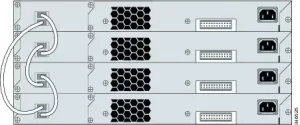
Absolutely, Cisco Meraki switches can talk to Catalyst 4507 switches – it’s entirely possible and done successfully in countless environments. But anyone promising you a magical plug-and-play experience is selling snake oil. This hybrid integration requires careful planning, attention to detail, and a solid grasp of how these two distinct Cisco worlds connect. It’s fundamentally about getting Layer 2 and Layer 3 communication working reliably, bypassing the layer of magic Meraki Cloud usually provides. Forget fancy MS features for managing the 4507; that’s not happening. Focus instead on the foundational plumbing: VLANs, IP addressing, and solid routing protocols.
Think about VLANs first. Consistency is non-negotiable. That shiny new Meraki access switch needs its client-facing port VLANs configured exactly the same way they’re set up on the interfaces connected to the 4507. If VLAN 10 is for Finance on the 4507, then the Meraki ports facing Finance users must also be untagged or tagged for VLAN 10. A mismatch here guarantees instant communication failure. Double-check every trunk port connecting the devices. Ensure the allowed VLAN lists match on both sides of that critical Meraki-to-4507 uplink. An incorrectly pruned VLAN is like shutting a door users need to walk through.
Then comes IP addressing. You’ve likely got subnets tied to those VLANs. For the Meraki switch itself to communicate with the 4507, it needs a management IP address on the same local subnet (VLAN) as the 4507’s management interface OR you need a rock-solid routing path between their different management subnets. This is crucial for the Meraki to see the 4507, and vice-versa, for basic reachability checks. Messing this up means your switches won’t even see each other on the network for Layer 3 communication. Diagram your subnets – every single one involved – and triple-check those gateway addresses are reachable from both sides.
Now, Layer 3 communication is where it really matters. This is what enables devices plugged into your Meraki switch to talk to servers or printers connected to the 4507, assuming they are on different VLANs or subnets. Here’s your main route: Static Routing or OSPF. Meraki doesn’t support complex enterprise protocols like EIGRP that older Ciscos favor.
- Static Routes: Simple on the surface. On your Meraki dashboard, you’d add a static route. Tell it: “To reach subnet X (behind the 4507), send the traffic to next-hop Y” – which would be the specific IP address of the 4507 interface facing the Meraki. You’ll likely need reciprocal static routes on the **4507** pointing back to any subnets living solely on the Meraki side or its downstream networks. It’s manageable for a small number of networks, but becomes a configuration nightmare if you have dozens or your network changes frequently.
- OSPF (Recommended): This is the scalable way, especially for anything beyond trivial setups. Both Meraki switches and Catalyst 4500s run OSPF. It requires more upfront setup but pays off in resilience and automation. On the 4507, configure an OSPF process, assign interfaces linking to the Meraki as OSPF neighbors (usually in Area 0), and advertise the 4507-connected subnets. Within the Meraki dashboard, enable OSPF on the relevant interface uplink to the 4507, set the Area ID correctly (match what the 4507 uses!), configure OSPF timers if needed for compatibility, and control which Meraki subnetworks get advertised into OSPF. Proper area configuration and ensuring basic adjacency parameters (like subnet masks, Hello/Dead timers – Meraki uses defaults like 10/40) match are critical. When configured right, routes learned via OSPF on the Meraki dashboard will show with OSPF labels in the routing table, proving it’s working. OSPF dynamically learns routes, meaning you won’t have to manually update things every time a subnet is added or changed behind the 4507.
Don’t overlook LACP Port Channels. Need more bandwidth and redundancy on the uplink? Bundle multiple physical interfaces between the Meraki MS and 4507 into an etherchannel. Configure it as an LACP trunk on both ends. This requires careful matching of settings on each device: consistent trunk mode, matching VLAN lists, and enabling LACP active mode on both sides. This also ensures your critical link isn’t taken down by a single cable or port failure.
The bottom line? Hybrid networks leveraging both Cisco Meraki switches and Catalyst 4507 infrastructure can absolutely work and work well. It provides a pragmatic path to adopting cloud-managed agility at the edge while maximizing the value of your existing, robust core investment. Success hinges entirely on mastering the basics of classic inter-switch communication: meticulous VLAN mapping, logical IP addressing, and robust routing (preferably OSPF). It demands careful planning over cable runs and configuration checks over assumptions. Done right, answering “can Meraki switches talk to 4507 Cisco?” becomes a resounding “Yes,” unlocking a network that moves faster without ripping out your foundation. That’s genuine hybrid power.
So ditch the fear that integrating new Cisco Meraki gear means junking your perfectly functional 4507. The communication path exists. The key is strategic implementation. Understand that the Meraki dashboard won’t manage the 4507, but will happily route traffic to it and learn its networks. Focus your energy on routing protocols and VLAN consistency. Treat the Meraki to 4507 connection like any other critical inter-switch link, configure it rigorously using core networking principles, and verify with ping tests and OSPF route checks in the dashboard. This hybrid approach isn’t just possible; it’s a smart evolution, letting you deploy modern cloud simplicity where you need it while leaning on proven hardware where it counts, delivering the seamless scalability you actually need without an unwieldy budget bust. That’s how you leverage both worlds.







Leave a comment