
Network administrators juggling cluttered broadcast domains know the pain points: sluggish data flow, security loopholes, and inefficient resource allocation. Configuring VLANs on Cisco Switch surgically addresses these headaches by partitioning a single physical network into logical segments. This isolation doesn’t just tidy up traffic—it fortifies defenses and optimizes hardware utilization. Cisco’s robust switching platform makes VLAN deployment intuitive, but mastering its nuances separates functional setups from truly resilient architectures. Below, we dissect why VLANs remain indispensable in modern networking and how to wield them effectively.
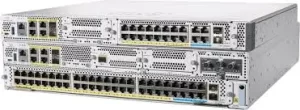
So, how exactly do VLANs revolutionize network efficiency? Let’s cut through the jargon. VLANs function like digital bulkheads in a ship, containing data floods to designated sections. Without them, every device in a subnet drowns in all broadcast traffic—ARP requests, DHCP chatter, multicast streams—hogging bandwidth and CPU cycles. By configuring VLANs on Cisco Switch, you quarantine this noise. Suppose you segregate finance, HR, and R&D teams onto separate VLANs. Finance’s sensitive payroll queries won’t leak to R&D’s multicast video streams. Each group gets a dedicated lane, eliminating cross-departmental data pileups.
Cisco simplifies this with VLAN Database Mode or the newer VTP versions, but the real magic lies in trunking. Say Switch A hosts VLAN 10 (Finance) and VLAN 20 (HR). To extend both VLANs to Switch B, configure a trunk port using Dot1Q encapsulation. Just hop into interface config mode (interface gig0/1), set encapsulation (switchport trunk encapsulation dot1q), and define the trunk (switchport mode trunk). Now, data zips between switches with VLAN tags intact—like color-coded cargo on a conveyor belt. But trunks need pruning. By default, Cisco floods all VLAN traffic down every trunk link. Slap on switchport trunk allowed vlan 10,20 to choke off unnecessary flows.
What about security? VLANs erect layer-2 firewalls. Ports assigned to VLAN 20 can’t snoop on VLAN 10 without a router hop. Stick a printer in a “Guests” VLAN? Voilà—contractors can’t accidentally (or intentionally) probe your Active Directory server. Combine VLANs with port security MAC filtering for added lockdown. Cisco’s Private VLANs take it further, quarantining devices within the same VLAN (ideal for hotel Wi-Fi setups).
Misconfigurations, however, can trigger meltdowns. A common pitfall? Forgetting native VLAN mismatches. Trunks discard tags for the native VLAN. If Switch A’s native VLAN is 1 but Switch B’s is 99, untagged frames become unreadable chaos. Standardize this via switchport trunk native vlan 99. Also, avoid VLAN sprawl: too many VLANs without hierarchical IP scheming leads to routing bottlenecks. Use VLAN numbers aligned with IP subnets (e.g., VLAN 10 for 10.0.10.0/24) for sanity.
Don’t ignore Layer 3 integration. VLANs alone won’t route between subnets—that’s where Switched Virtual Interfaces (SVIs) shine. Create SVI interfaces (interface vlan10, ip address 10.0.10.1 255.255.255.0) on multilayer Cisco switches. Now intra-VLAN traffic flies at wire speed, while inter-VLAN routing hits the SVI gateway. For leaner setups, connect a router to a trunk port and configure “router-on-a-stick” sub-interfaces.
For scalability, VTP (VLAN Trunking Protocol) syncs VLAN databases across switches. Beware though: an uncontrolled VTP server can wipe VLANs fleet-wide. Use transparent mode for fine-grained control, or better yet, migrate to manual VLAN pushes via scripts. Cisco DNA Center now automates VLAN provisioning via drag-and-drop workflows—perfect for sprawling campuses.
Configuring VLANs on Cisco Switch isn’t just technical routine; it’s foundational cyber hygiene. Whether shrinking collision domains for faster VoIP calls or isolating IoT devices from critical servers, VLANs deliver enterprise-grade segmentation on a budget. Cisco’s ecosystem—from Catalyst 2960s to Nexus series—ensures this framework scales reliably. The efficiency payoff? Cleaner traffic, fewer outages, and freed-up switches no longer drowning in broadcasts. That’s layer 2 elegance.







Leave a comment