
managing a network without mastering port switch command Huawei configurations is like piloting a ship blindfolded. You might drift along fine for a while, until you hit the rocks – and then it’s chaos. Those seemingly mundane commands buried in the CLI aren’t just technical jargon; they’re the fundamental levers controlling data flow, security, and stability across every Huawei switch fabric under your care. Neglecting them? That’s inviting unpredictable outages, crippling bottlenecks, or gaping security holes you won’t notice until a breach happens or critical services grind to a halt. Whether you’re provisioning new access ports, hardening trunk links, wrestling with VLAN assignments, or troubleshooting a mysterious performance dip, the devil – and the solution – is almost always in these port switch specifics. They dictate exactly how devices talk across your network segments. Getting them wrong can cascade into network meltdowns; getting them right builds resilience. So, why are these silent configurations utterly non-negotiable for anyone serious about network uptime and security?
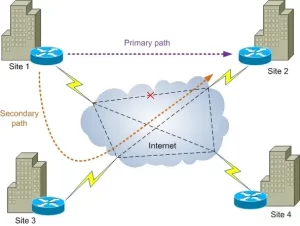
Think of every interface on your Huawei switch as a doorway. The port switch command Huawei set is the lock, the access rules, and the traffic cop all rolled into one. Its power lies in granular control. Take broadcast storms, that dreaded network killer often traced back to faulty NICs or loops. Without proper switch port storm control configured? One rogue device floods the entire segment, choking legitimate traffic. Commands like storm-control broadcast or storm-control action act as essential circuit breakers. Or consider VLAN segmentation – the cornerstone of security and performance. Mixing traffic from different departments or security zones on the same physical link via a misconfigured trunk port is a recipe for disaster, allowing lateral movement for attackers. The port trunk commands defining allowed VLANs (port trunk allow-pass vlan) are your critical isolation valves. Get them wrong, and sensitive payroll data could leak onto the guest Wi-Fi VLAN. Performance tuning is equally dependent. An access port left at default settings hammered by high-bandwidth video conferencing? Painful lag guaranteed. Applying the right port link-type (access/hybrid/trunk) and then fine-tuning with qos priority or traffic shaping commands (qos lr) directly determines whether voice calls are crystal clear or a broken, jittery mess.
The silent dangers of passive ports are real too. An unused switch port left enabled is an open invitation. Anyone can plug in an unauthorized device – maybe a contractor’s infected laptop, a malicious actor, or just an employee adding an unauthorized wireless router creating a rogue DHCP server that derails your entire IP scheme. Simple port security commands (port-security enable, mac-address sticky) lock that port down, binding it to specific authorized devices. Forgetting to set stp edged-port on end-user access ports? Hello, potentially disruptive STP topology changes triggered by someone rebooting their PC. And misconfigured duplex or speed settings? That’s asking for chronic collisions (half-duplex) or mysterious packet loss and CRC errors if one side is auto and the other hard-coded, leading to frustrating “it’s slow sometimes” tickets that burn hours to trace. The duplex and speed commands aren’t suggestions; they’re mandates for reliable connectivity. Furthermore, the port isolation command (port-isolate enable group) is vital in shared environments like conference rooms or labs, preventing devices plugged into the same switch from directly scanning or attacking each other, a key layer in micro-segmentation. Not leveraging this? You’re leaving internal attack surfaces wide open.
Ignoring these foundational Huawei port switch command settings means building on sand. They are not glamorous features, but they are the absolute bedrock of operational stability, predictable performance, and robust security. Every correctly applied description, every thoughtfully configured access vlan, every hardened trunk link, and every monitored interface via display interface brief contributes directly to preventing avoidable outages and stopping breaches before they start. Mastering them isn’t about ticking a box; it’s about deeply understanding the traffic flows and vulnerabilities inherent in your physical network layer. When done consistently, it transforms your Huawei switches from simple connectivity boxes into intelligent, controlled, and resilient network guardians. Yes, you need firewalls and fancy SDN controllers, but if the basic port configurations underneath are shaky, the whole structure is vulnerable. That outage you just spent all weekend fixing? It likely started with a port switch setting someone overlooked or misunderstood months ago. Investing serious time in mastering these commands isn’t optional overhead; it’s the core discipline defining whether your network infrastructure is a reliable enabler or a ticking time bomb of unexpected crises, silent failures, and preventable security incidents. Robust networks aren’t built by accident; they’re meticulously assembled port command by port command.







Leave a comment