
For businesses eyeing budget-friendly network upgrades, slapping a third-party SFP module into a Huawei switch feels like an easy win—cut costs by 50% or more, right? But this “cheat code” often backfires, transforming minor savings into major outages, data leaks, or even hardware meltdowns. Huawei switches, from the S5700 to CloudEngine series, rely on SFP modules to convert electrical signals to optical or copper, acting as the nervous system linking servers, routers, and endpoints. Yet, mismatched or counterfeit modules can throttle speeds, destabilize connections, and void warranties. Is that $50 saved per module worth risking your entire network’s integrity? Let’s expose the hidden trade-offs of Huawei switch SFP choices—and how to dodge disasters.
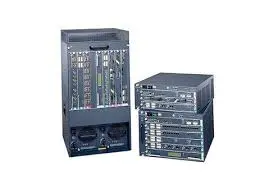
Why “Cheap” SFPs Often Cost More Than Huawei’s Premium Modules
The allure of third-party SFP modules is undeniable: a Huawei SFP-GE-LX-SM1310 (1.25G, 10km) costs ~30. But the devil’s in the details.
Compatibility Roulette:
Huawei switches use VRP (Versatile Routing Platform) software to authenticate SFP modules. Non-certified modules may trigger errors like Error: Unrecognized transceiver or force ports into shutdown. A hospital using off-brand SFP-10G-LR modules in S6730-S switches faced random link drops during MRI data transfers, delaying diagnoses until they swapped in Huawei’s SFP-10G-LR-SM1310 modules.
Performance Gaps:
Third-party SFPs often overpromise specs. A 10G module labeled for 10km might barely handle 2km due to inferior lasers. A logistics hub learned this when their warehouse S5700-52X-LI-AC switches with cheap SFP-1G-T modules failed to maintain stable connections across 100-meter CAT6 runs—a distance Huawei’s certified modules handle effortlessly.
Thermal Risks:
Cheap modules skimp on cooling. Huawei’s SFP-10G-SR-MM850 includes built-in thermal sensors that throttle speeds if overheating. Knockoffs lack this, risking port burnout. One data center reported 12 dead ports in CE6850 switches after a summer heatwave spiked third-party SFP temps to 90°C.
Warranty Voidance:
Huawei’s support team will refuse repairs if non-certified SFPs caused damage. A fintech firm voided 480K in emergency replacements.
Fix: Stick to Huawei’s Compatibility Matrix Tool when sourcing SFPs. For bulk buys, demand sellers provide Huawei’s Original Equipment (OE) Certificate.
When Do Third-Party SFPs Make Sense? (And When to Run)
Not all third-party SFPs are created equal. Programmable modules from vendors like FS.com or FlexOptix can work—if you follow strict protocols:
Scenario 1: Homogeneous Networks
If your entire fleet uses Huawei S5735 switches, some third-party vendors sell modules pre-flashed with Huawei’s EEPROM data, tricking switches into recognizing them as “genuine.” Test these in non-critical links first. A university IT department saved $12K annually using coded SFPs for student dormitory switches but kept Huawei-certified modules for research lab networks.
Scenario 2: Short-Term Deployments
For pop-up retail stores or event networks needing temporary 1G links, generic SFP-GE-T modules (under $20) suffice. Just replace them after 6 months to avoid aging-related failures.
Red Flags to Avoid:
- Too-good-to-be-true pricing: $10 “10G” SFPs are guaranteed fakes.
- No firmware updates: Legit vendors like 10Gtek offer firmware tools; sketchy sellers don’t.
- Missing DOM support: Huawei switches rely on Digital Optical Monitoring (DOM) to track SFP health. Cheap modules often lack this, blinding you to issues like rising bit error rates.
Pro Tip: Use display transceiver interface GigabitEthernet 0/0/1 to check voltage, temperature, and RX/TX power. If values fluctuate wildly, suspect counterfeit SFPs.
How to Future-Proof Your SFP Strategy Without Going Broke
Balancing cost and reliability requires a hybrid approach:
1. Tier Your Network
- Core/Uplinks: Use Huawei-certified SFPs (e.g., SFP-10G-LR) for mission-critical links between switches and servers.
- Access Layer: Deploy programmable third-party SFPs for endpoints like IP cameras or VoIP phones.
2. Bulk Smart, Not Cheap
Huawei offers SFP bundles at 15–30% discounts for 50+ purchases. For a mid-sized factory needing 100 SFP-1G-LX-SM1310 modules, this cuts costs without gambling on quality.
3. Leverage Huawei’s SFP+ Recycling
Trade in old SFP+-10G-SR-MM850 modules for credit toward newer SFP28-25G-SR-MM850 upgrades. Huawei’s recycling program offsets 20% of costs while ensuring compatibility with next-gen switches.
4. Deploy SFP Management Tools
Tools like Huawei eSight auto-flag non-certified SFPs and schedule replacements before failures. One retailer reduced SFP-related downtime by 70% by setting eSight to alert when module temps exceed 75°C.
The Huawei switch SFP dilemma boils down to this: every penny saved on modules today could cost dollars tomorrow in outages, repairs, or lost trust. While third-party SFPs have niche uses, they’re landmines in core networks. The businesses thriving aren’t those chasing the cheapest option—they’re the ones treating SFPs as insurance policies for uptime and security. Before you click “buy” on that too-cheap module, ask: is this discount worth betting my network’s reputation on? If not, invest in certainty—your CFO might grumble now, but your CTO will thank you later.







Leave a comment