
The printer suddenly goes offline at midnight. Conference room screens freeze during the CEO’s global town hall. That sluggish CRM response when sales are closing quarterly deals? More often than not, it traces back to a misconfigured or overlooked IP default gateway on your Huawei switches. Forget complex jargon – this is about your business moving at the speed of clicks versus frustration. If your team’s productivity depends on seamless connectivity between VLANs, wireless networks, and cloud resources, that unassuming default gateway setting isn’t just tech trivia; it’s the silent traffic conductor making or breaking your operational tempo. Get this wrong, and you’re building a network highway with collapsed bridges.
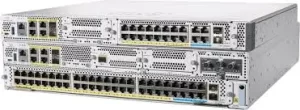
what makes properly configuring the IP default gateway on Huawei switches so critical? Think of your network like a city. Devices (computers, phones, servers) are buildings. The default gateway is the central mailroom – the only exit point for any package (data) destined outside the immediate neighborhood (local subnet). On a Huawei switch, especially when acting as a Layer 3 device or managing inter-VLAN routing, setting the correct IP default gateway tells the switch itself where to forward traffic that’s bound for other networks or the internet. If this address is wrong or missing, the switch becomes an island. Internal traffic might chug along, but reaching critical resources like cloud backups, email servers, or partner portals? Dead stop.
Here’s where Huawei’s approach matters. Unlike simply typing a command, their interface often involves defining a virtual VLAN interface (Vlanif), assigning it an IP address within the target subnet, then setting that Vlanif IP as the switch’s own default gateway. This isn’t just configuration; it’s strategic routing architecture. Miss this nuance, and your core switch might physically connect to the router but logically live in isolation.
Consequences aren’t subtle. Sales teams suddenly can’t access the CRM database hosted in another zone. Security cameras stop feeding footage to the off-site NVR. POS systems halt transactions during peak hours because they can’t reach the payment gateway. Troubleshooting becomes nightmarish – everything looks connected, pings to internal devices succeed, yet beyond the subnet, it’s radio silence. It manifests as baffling “intermittent outages” that vanish when testing locally.
The fix isn’t complexity; it’s precision. Double-check the target gateway address (typically the core router’s interface on the same subnet). Verify the Vlanif creation and IP assignment in the VLAN needing external access. Finally, execute ip route-static 0.0.0.0 0.0.0.0 [next-hop-ip] or use the GUI equivalent. Test immediately: can the switch ping an external address like 8.8.8.8? If yes, traffic flows outward. Configured correctly, that default gateway on your Huawei switch transforms it from a passive box into an intelligent director, seamlessly routing vital traffic outward while maintaining blazing internal speeds. Ignoring this is like buying a Ferrari but forgetting the ignition key.
Ultimately, the difference between a network asset and an expensive paperweight rests on fundamentals. Nailing the IP default gateway on your Huawei switch isn’t about ticking a compliance box; it’s the unshakeable foundation preventing daily operational crises. That overlooked command line holds the keys to external dependencies – cloud tools, SaaS platforms, security updates. When your warehouse scanners ping the central inventory database flawlessly, or field teams access real-time logistics dashboards without buffering, that’s the silent efficiency of a correctly configured default gateway translating into measurable business velocity. Trust that Huawei switch to route intelligently, but only after you give it the right exit sign.







Leave a comment