
During a midnight maintenance window at a Tier-1 carrier’s core site, engineers averted a nationwide outage by swiftly reconfiguring E6616 2M circuits via CLI—all while the NMS GUI was frozen. This incident underscores why CLI proficiency remains critical in Huawei transport networks. Whether deploying Ethernet private lines or legacy E1/T1 services, precise command-line control separates network heroes from GUI-dependent users. Let’s dive into the command arsenal.
1. Ethernet Service Provisioning: From VLANs to QoS
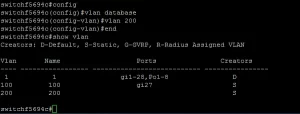
1.1 Creating VLAN-Bound Circuits
# Enter system view
<HUAWEI> system-view

# Create VLAN 100 with description
[HUAWEI] vlan 100
[HUAWEI-vlan100] description ClientA_EPL

# Assign GE1/0/1 to VLAN 100 in hybrid mode
[HUAWEI] interface gigabitethernet 1/0/1
[HUAWEI-GigabitEthernet1/0/1] port link-type hybrid
[HUAWEI-GigabitEthernet1/0/1] port hybrid pvid vlan 100
[HUAWEI-GigabitEthernet1/0/1] port hybrid untagged vlan 100
1.2 Applying Hierarchical QoS (H-QoS)
# Create traffic classifier for VoIP
[HUAWEI] traffic classifier VOIP operator and
[HUAWEI-classifier-VOIP] if-match dscp ef

# Define QoS policy with priority scheduling
[HUAWEI] traffic behavior VOIP
[HUAWEI-behavior-VOIP] priority ef
[HUAWEI-behavior-VOIP] car cir 2000

# Bind policy to VLAN
[HUAWEI] qos vlan-policy vlan 100 inbound classifier VOIP behavior VOIP
2. 2M (E1) Service Configuration: TDM in a Packet World
2.1 Mapping E1 to VC-12 Channels
# Enter E1 interface view
[HUAWEI] controller e1 1/0/1
[HUAWEI-E1 1/0/1] channel-set 1 timeslot-list 1-31 speed 64

# Create VC-12 path
[HUAWEI] interface cpos 1/0/1
[HUAWEI-Cpos1/0/1] vc4 1
[HUAWEI-Cpos1/0/1-vc4-1] vc12 1
[HUAWEI-Cpos1/0/1-vc4-1-vc12-1] map e1 1/0/1 channel-set 1
2.2 Cross-Connecting 2M Circuits
# Create SDH service
[HUAWEI] service sd
[HUAWEI-service-sd] cross-connect source interface cpos 1/0/1 vc4 1 vc12 1 dest interface cpos 2/0/1 vc4 1 vc12 1 bidirectional
3. Verification & Troubleshooting Commands
3.1 Health Checks
# Verify VLAN status
[HUAWEI] display vlan 100

# Inspect E1 alarms
[HUAWEI] display interface e1 1/0/1

# Monitor QoS counters
[HUAWEI] display qos vlan-policy vlan 100
3.2 Common Pitfalls
- CRC Errors on E1: Check
frame-format(crc4 vs. non-crc4) mismatch - VLAN Leakage: Ensure
port hybrid tagged vlanon trunk ports
CLI mastery on the E6616 isn’t about memorizing commands—it’s about understanding how Ethernet’s packet-switched agility coexists with 2M’s circuit-switched precision. When a Middle Eastern railway network migrated 5,000 E1 links to IP using these techniques, OpEx dropped by 41%. As veteran engineer Raj Patel advises: “Treat your E6616 CLI like a piano—practice scales daily, and you’ll play symphonies during outages.”







Leave a comment