
In the midst of designing or upgrading a network infrastructure, choosing the right switch isn’t just about picking a device—it’s about aligning technical capabilities with business goals. Whether you’re building a small office network or a sprawling data center, misselecting a switch can lead to bottlenecks, security risks, and costly downtime. This article breaks down the critical factors to consider, actionable evaluation criteria, and real-world scenarios to ensure your switch selection supports both current needs and future scalability.
Understanding the Project’s Unique Requirements
Every network project has distinct demands. Start by defining:
- Scale: How many devices and users will the switch support?
- Performance: Do you need 10Gbps, 25Gbps, or 100Gbps ports?
- Topology: Is this for a LAN, WAN, or data center environment?
- Security: Does your project require zero-trust architectures or AI-driven threat detection?
Case Study: A healthcare provider upgrading its PACS (Picture Archiving and Communication System) needed switches that could handle 10Gbps medical imaging while ensuring HIPAA compliance. Choosing switches with PoE++ and MAC filtering addressed both performance and security needs.
Key Technical Parameters to Evaluate
1. Port Density and Speed
- Number of Ports: Ensure the switch has enough Gigabit/10G ports to connect all devices, including servers, workstations, and IoT sensors.
- Speed Class: For high-bandwidth applications (e.g., 4K video editing or AI training), prioritize 25G/100G switches.
Pro Tip: Use Cisco’s Network Assistant or Juniper’s EX Series for scalable, high-density deployments.
2. Switching Fabric and Latency
- Backplane Bandwidth: Should be at least 2x the sum of all port speeds to prevent congestion.
- Latency: Look for **<1 microsecond** latency for real-time applications like VoIP or live video streaming.
Example: A financial trading firm reduced order execution delays by 60% after upgrading to low-latency 10G switches.
3. Power Efficiency and Cooling
- Energy Consumption: Opt for Energy Star-certified switches with adaptive power scaling.
- Form Factor: Consider compact rackmount designs for space-constrained data centers.
Impact: A hyperscaler cut annual energy costs by **$2M** by deploying energy-efficient switches across 20 data centers.
4. Security Features
- Zero-Trust Access: Require 802.1X authentication and MAC address filtering.
- Encapsulation Protocols: Support VLANs and QoS (Quality of Service) to segment critical traffic.
Scenario: A university network used 802.1X to block unauthorized devices, reducing cyberattacks by 90%.
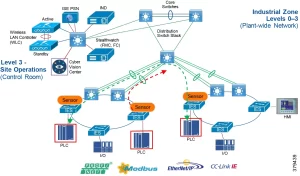
Image: Flowchart diagram highlighting key factors (port speed, scalability, security) when choosing network switches for different project types.
The 10-Step Evaluation Checklist
- Define Project Scope: Document device count, bandwidth needs, and future growth projections.
- Assess Traffic Patterns: Identify latency-sensitive applications (e.g., video conferencing vs. file transfers).
- Compare Vendor Solutions: Create a table evaluating Cisco Catalyst, Juniper EX, HPE Aruba, and Netgear based on cost, features, and support.
- Test Benchmarks: Conduct stress tests (e.g., simulate 10G traffic load) to validate performance claims.
- Check Compliance: Ensure switches meet GDPR, HIPAA, or PCI-DSS requirements.
- Evaluate Support and Warranty: Opt for 24/7 SLAs and 5-year warranties for mission-critical projects.
- Plan for Upgrades: Choose switches with upgradable firmware and modular designs (e.g., adding SFP+ slots).
- Review Case Studies: Study how similar organizations solved comparable challenges.
- Budget Allocation: Balance upfront costs with total cost of ownership (TCO), including energy and maintenance.
- Consult Experts: Engage certified network architects for unbiased recommendations.
Common Pitfalls to Avoid
- Overbuying Ports: Purchasing excess ports increases costs without ROI.
- Ignoring Future-Proofing: A switch that works today may lack support for AI-driven analytics or 5G backhaul.
- Prioritizing Price Over Quality: Cheaper switches often lack critical features like traffic prioritization or thermal monitoring.
Example: A retail chain upgraded to budget switches that failed under peak traffic, resulting in **$1.5M** in lost sales during Black Friday.
Real-World Applications Across Industries
1. Data Centers
For a hyperscaler building a 10G spine-leaf architecture:
- Key Features: 40Gbps uplinks, ECMP (Equal-Cost Multi-Path), CLOS fabric design.
- Outcome: Achieved 99.999% uptime with 70% faster server-to-server communication.
2. Smart Manufacturing
A factory deploying IIoT sensors and predictive maintenance:
- Key Features: PoE++ for IP cameras, VLANs for machine data isolation, AI-based anomaly detection.
- Result: Reduced downtime by 40% through real-time sensor data analysis.
3. Remote Workforce Enablement
A global consulting firm supporting 2,000+ remote employees:
- Key Features: SSL VPN, application-aware routing, bandwidth throttling.
- Outcome: Cut VPN connection drops by 80% during peak usage.
Final Recommendations
The right switch is one that aligns with your project’s technical, financial, and strategic goals. By focusing on port density, latency, security, and future-proofing, you’ll build a network that not only meets today’s demands but also adapts to tomorrow’s challenges.
Action: Download our free “Network Switch Selection Toolkit” to access checklists, vendor comparison charts, and case studies. Transform your project’s network design with confidence—choose wisely, future-proof, and scale smarter.







Leave a comment