
network folks managing the daily grind – let’s talk about something easily overlooked but surprisingly potent: those soft keys sitting right there on your ZTE access switches. You know the ones; they’re often nestled beside the console port or dotting the front panel. Most admins cruise straight past them to the CLI or web GUI for configuration tasks. It feels like the “serious” way to work, right? But dismissing these physical buttons outright means potentially bypassing a legitimate shortcut baked into the hardware. Especially when you’re physically at the switch – maybe doing initial rack-and-stack, troubleshooting a stubborn interface light, or performing quick diagnostics during an outage – fumbling for a laptop console cable or waiting for a slow GUI login can feel like dragging anchors. That’s where understanding the true purpose and practical application of ZTE switch access soft keys becomes crucial. They’re designed as an immediate, localized physical interface to perform fundamental, high-value tasks without needing a full management session. So, before you write them off as mere decoration, consider the specific, tangible advantages they offer in streamlining hands-on network operations right at the device edge. They might just be the silent efficiency boost you’ve been walking past every day.
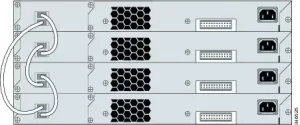
So, back to our title question: Can They Simplify Your Network Ops? Absolutely, and the simplicity comes precisely from recognizing what they areand aren’tmeant for. Forget complex scripting or granular policy configuration – that’s not their domain. Their power lies squarely in accelerating specific, common physical tasks directly at the point of connection.
Think about a scenario where you’ve just installed a dozen ZTE access switches. Each needs a basic setup before joining the managed network: setting a unique hostname, applying a basic initial IP for management access (maybe just a default VLAN IP), perhaps quickly verifying port statuses on specific interfaces showing link issues right out of the box, or assigning a port to an access VLAN without digging through menus. Performing these via traditional methods means connecting a console cable to each switch, launching terminal software, authenticating, navigating command hierarchies, and finally typing out commands. With the soft keys, engineers can execute many of these foundational tasks significantly faster. Often, it’s a sequence initiated by holding down a specific physical button near the port in question while power cycling the switch, triggering a direct mode dedicated to that function. Need to quickly assign that troublesome port 1/0/24 to VLAN 10? Chances are there’s a dedicated button combination sequence that does precisely that in seconds during bootup, bypassing the entire login and command entry process. It’s a direct hardware instruction executed locally.
This localized hardware interaction drastically reduces the potential for typos in critical commands compared to manual CLI entry – especially helpful during rushed installations or high-pressure troubleshooting. You can’t fat-finger a button sequence quite as catastrophically as mistyping a complex “interface GigabitEthernet 1/0/24” command followed by multiple nested configs. The soft keys provide a constrained, predefined path to perform vital common tasks reliably. Think factory resets – a crucial recovery step. All switches need this eventually, and dedicated physical soft keys often provide the safest, most foolproof way to trigger it, ensuring you don’t accidentally target the wrong device over SSH or via a central controller. Similarly, initiating firmware recovery mode when an update goes sideways frequently relies heavily on specific physical button presses during the boot cycle; it’s a hard-coded hardware escape hatch that software alone can’t always reliably access. For technicians physically interacting with stacks of access switches in wiring closets or data center rows, minimizing console cable juggling or laptop dependency isn’t just a minor convenience; it’s a direct productivity boost, cutting valuable minutes off repetitive tasks multiplied across numerous devices. These keys are essentially high-speed function keys tuned exactly for the initial deployment and physical layer management tasks dominating access switch work. While GUI and CLI reign supreme for deep configuration, these physical buttons shine for targeted, localized hardware actions, effectively streamlining the hands-on, edge-of-the-network workload where seconds per device add up meaningfully.
Don’t underestimate the efficiency ZTE switch access soft keys inject into physical network management. For engineers actively installing, maintaining, or troubleshooting access switches within the sometimes chaotic environment of server rooms or wiring closets, these tangible controls offer genuine value. They transform common, necessary hardware interactions – setting a baseline IP, rapidly assigning a port, confirming status lights, triggering safe resets or recoveries – from multi-step command-line processes (requiring login and potential mistakes) into quick, tactile sequences performed right at the box. This bypasses the need for potentially complicated console setups or slow web portal loads precisely when speed and physical dexterity matter most. The time saved racking and stacking a dozen devices, the reduced risk of misconfiguring a critical reset command under pressure, the sheer convenience of a physical shortcut during a hands-on diagnostic session – these aren’t theoretical benefits. They translate into tangible minutes reclaimed per device, fewer frantic troubleshooting sessions prolonged by typo-induced complications, and more predictable hardware interaction directly at the network edge. Yes, deep switch management absolutely happens in the CLI or orchestrator. Yet, acknowledging and leveraging the specific, powerful role of ZTE’s soft keys for these core physical interactions provides a distinct operational advantage, making the essential, everyday tasks involving these crucial access points smoother, faster, and demonstrably less prone to error. They turn hardware proximity into a powerful asset rather than a constraint. Embrace that local control; it exists specifically to make your job handling these access layer workhorses more efficient and less error-prone.







Leave a comment