
As someone who’s spent a decade crafting network documentation for IT teams, I know first-hand how crucial it is to stay on top of your Cisco switch firmware updates. If you’re managing switches—whether in a small office or a sprawling enterprise network—ignoring these updates can turn your setup into a ticking time bomb. how often the cisco switch firmware update happens isn’t just a tech detail; it’s a lifeline for keeping your operations smooth, secure, and resilient against downtime. Many admins I’ve worked with overlook this, thinking it’s a low-priority task, but reality hits hard when vulnerabilities creep in. With the pace of digital threats today, your network isn’t just about moving data—it’s about safeguarding your entire business flow. Let’s dive into the nitty-gritty to ensure you’re not caught off-guard, because understanding update frequency could be the difference between seamless performance and a costly disaster.
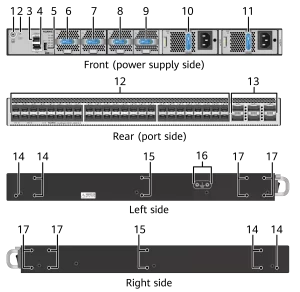
Now, addressing that first question head-on: how often do these firmware updates actually roll out for Cisco switches? Well, it’s not a one-size-fits-all deal. Generally, Cisco releases patches every few months—think quarterly or so—for most models like the Catalyst series, but the exact schedule shifts based on things like the switch model you’re running and emerging security threats. For instance, entry-level switches might see less frequent updates, maybe twice a year, because they handle simpler tasks and have fewer exposure points. But step up to high-end models like the Nexus line, and you’re looking at updates dropping more often, sometimes every other month, as Cisco adds new features or plugs holes found in real-world use. Why? Because Cisco constantly monitors for bugs or exploits—say, a glitch that could crash your VLAN configurations—and they push fixes proactively to keep things humming. Factors like firmware version also play in; if you’re on an older release, updates might come slower as Cisco phases out support, whereas the latest firmware gets rapid tweaks. Bottom line, don’t wait for a calendar reminder—check Cisco’s support site routinely or sign up for alerts. That way, you can plan ahead without scrambling, keeping your switch’s heartbeat steady and secure through regular tune-ups.
Shifting gears to the second part: what risks pile up if you delay or skip these updates? Picture this—you’re swamped with daily tasks, so you postpone that firmware update for “later.” Bad move. Skipping updates invites vulnerabilities galore. For starters, unpatched firmware can leave your network open to attacks, like hackers exploiting known flaws to steal data or hijack traffic. I’ve seen cases where a missed patch led to unexpected downtime—imagine your whole office grinding to a halt because the switch locks up. Security holes aren’t the only threat; performance dips sneak in too, like slower speeds or glitches in traffic routing, all because the firmware isn’t optimized. On top of that, there’s compliance to worry about—industries like finance or healthcare demand tight security, and outdated firmware could flunk audits, costing fines or worse. But flip the script, and timely updates bring wins—they boost stability and add cool features, say, better management tools that make tweaking settings a breeze. To stay ahead, build a habit: schedule updates during off-hours, test them in a sandbox environment first, and keep backups ready. This proactive step isn’t just IT housekeeping; it’s defending your network’s backbone against chaos, ensuring everything from VoIP calls to cloud apps runs without a hitch.
Wrapping this up, as a longtime editor who’s seen networks rise and fall on update habits, treating how often the cisco switch firmware update happens as a routine chore pays off massively for anyone handling switches. Don’t treat it like an afterthought—turn it into a core part of your maintenance rhythm. When you commit to regular checks, you’re not just patching software; you’re fortifying your entire ecosystem against disruptions, building agility for whatever digital curveballs come next. Make it a team effort, train your staff to spot Cisco alerts, and you’ll lock in smoother operations that keep users smiling. After all, in today’s fast-paced world, your switch isn’t just hardware—it’s the pulse of your productivity, so keep it ticking flawlessly.

Leave a comment