
That pit-of-your-stomach moment isn’t just another switch crash; it’s peak hour chaos with customers screaming and dashboards flashing red. While many scramble blindly for fixes, true resilience hinges on far more than buying hardware. Aruba Central switch support isn’t a checkbox; it’s your operational lifeline – the difference between recovering gracefully and catastrophic paralysis. When complex firmware bugs freeze stacks, configuration scripts implode silently, or compatibility issues surface mid-deployment, relying solely on basic warranty replacements leaves you exposed. Support embedded within Aruba Central transcends parts replacement—it delivers vital intelligence, proactive safeguards, and expert triage precisely when your infrastructure buckles. Understanding how to maximize these capabilities transforms crisis management from frantic gambling into controlled recovery.
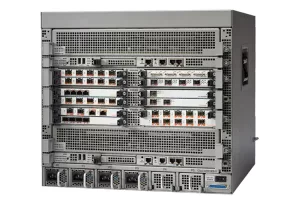
So, what specific elements within Aruba Central switch support actually equip you to weather catastrophic failures? Forget generic helplines; meaningful resilience requires three concrete pillars working in concert. First, know your subscription tier’s teeth. Entry-level support might cover hardware replacements but often misses the critical stuff: complex configuration restoration, advanced firmware debugging, or fast-tracked troubleshooting escalations needed during business-critical outages. Premium tiers (like Aruba Premium Care or Platinum Care) deliver faster response times, direct access to senior engineers who understand Aruba Central’s intricacies, and proactive firmware patch notifications tailored for your inventory. Crucially, verify if your support includes coverage for both the Central platform hiccups and the physical switches it manages—glitches can lurk on either side. Ignore this, and you’re stuck explaining your network architecture to tier-one script readers while servers crash. Second, activate embedded diagnostics intelligently. Aruba Central isn’t just a dashboard; it’s a trove of forensic data when things implode. Configure automated Health Alerts proactively: CPU/Memory spike warnings on core switches, stack member instability alerts, even critical port saturation triggers set well below actual failure thresholds. When the meltdown happens, immediately dive into Central’s Tech Support Reports. Don’t just grab logs—enable Stateful Inspection snapshots capturing the switch’s exact condition seconds before failure. These auto-generated bundles include Real-Time Monitoring data, Flow Analysis, Critical Log Events, and the Configuration State, pre-correlated for TAC engineers. Attach this instantly when opening a ticket—this bypasses days of “send more logs” ping-pong. Third, build operational redundancy via support. Ensure critical access layer and core switches carry NBD (Next Business Day) advance replacement contracts, but layer in licensing for Virtual Switching Extensions (VSX) or stacking capabilities wherever possible. A chassis failure hurts less when stacks reroute seamlessly, buying critical hours until replacement gear arrives. Crucially, leverage support’s firmware focus. Premium tiers grant access to unreleased bug-fix builds or approved downgrade paths faster than public portals—essential if you uncover a critical Central configuration sync bug breaking trunk ports post-update. Regularly submit TAC cases seeking validated firmware combinations tested specifically for your switch models under your Central features. Don’t rely solely on generic compatibility matrices—insist on documentation proving stability for your deployment profile. Finally, confirm third-party dependency coverage. Does your support handle incompatibilities traced to specific Transceiver modules, Power Supply Units, or cable types? Proving non-Aruba optics caused a crashing core switch takes ages without support’s validation muscle. Premium tiers often expedite root-cause analysis leveraging Aruba’s internal testing labs. Ignoring these layers means settling for reactive bandaids, not true operational armor against the inevitable infrastructure collapse.
Investing in strategic Aruba Central switch support is fundamentally about protecting your business rhythm. Choosing the right tier, mastering embedded diagnostics, demanding proactive firmware guidance, and building backup paths transforms complex network meltdowns into manageable incidents. It means expert engineers become extensions of your team precisely when panic sets in, providing targeted intelligence and replacements that slice recovery times dramatically. That’s genuine resilience—not just surviving the crisis, but minimizing outage costs, preserving service continuity, and shielding your team’s sanity. Don’t wait for the crash to test your lifeline; architect your support structure deliberately today. Premium coverage isn’t overhead; it’s the proven cost of ensuring your critical switch infrastructure stays resilient, predictable, and—ultimately—operational. Stop gambling with bare-metal coverage; demand the support layer that guarantees survival.

Leave a comment