
The transition from legacy broadband to Gigabit-capable Fiber-to-the-Home (FTTH) networks requires robust customer premises equipment (CPE). This comprehensive guide explores the Nokia G-140W-MF (formerly under the Alcatel-Lucent brand), a highly capable Gigabit Passive Optical Network (GPON) Optical Network Terminal (ONT). Why is this important now? As global internet service providers (ISPs) and enterprise networks continue to upgrade their Optical Distribution Networks (ODNs) to meet the demand for high-bandwidth applications—such as 4K/8K streaming, cloud computing, and low-latency unified communications—understanding the hardware that bridges the optical line and the end-user is critical. The Nokia G-140W-MF remains a cornerstone device in many global deployments due to its balance of optical performance and integrated routing capabilities.
In this whitepaper, you will learn the core technical specifications of the Nokia G-140W-MF, detailed deployment and provisioning strategies using OMCI and TR-069, and actionable best practices for optimizing dual-band Wi-Fi and Quality of Service (QoS) in complex network environments.
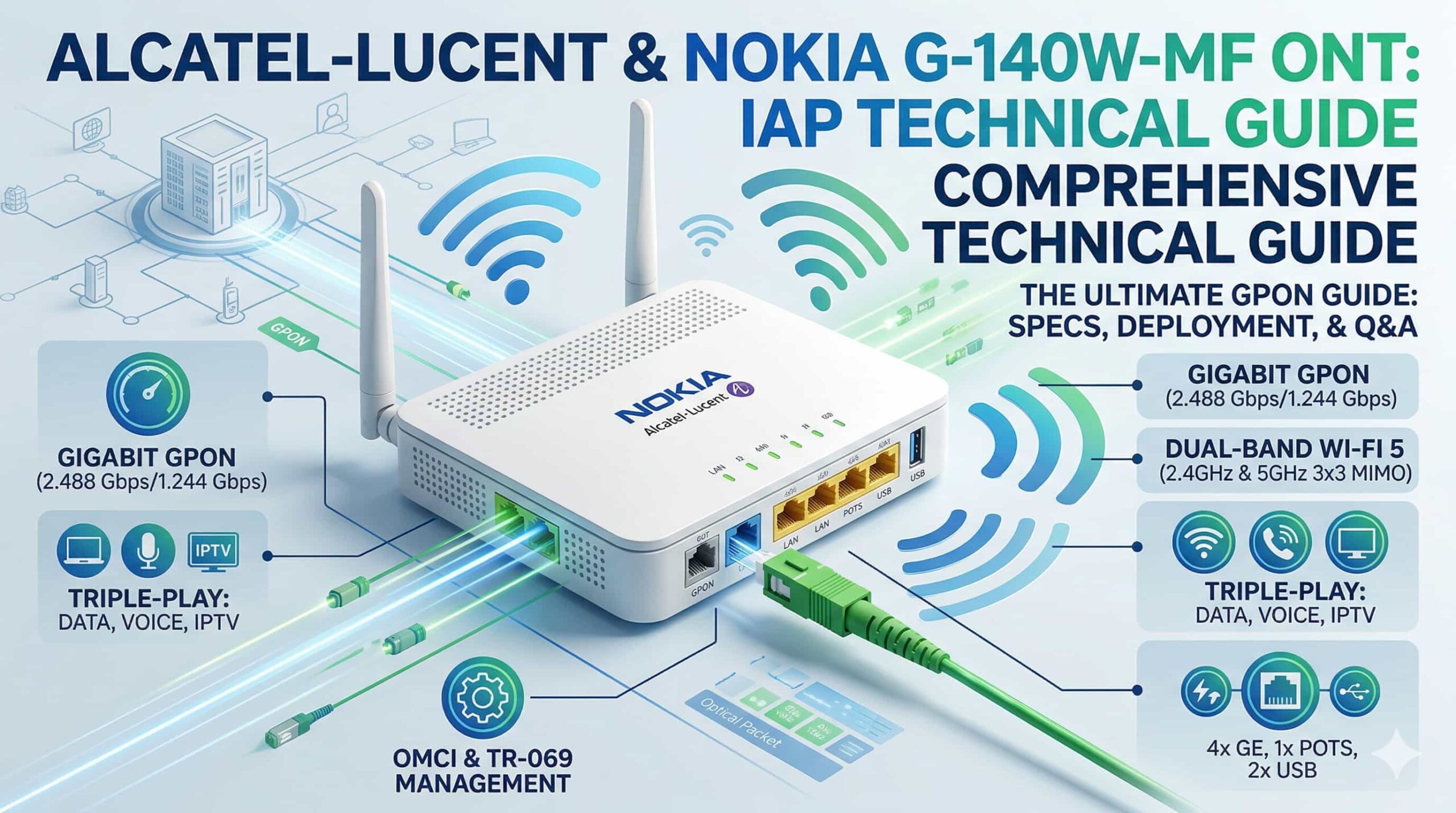
The Evolution: From Alcatel-Lucent to Nokia in GPON Infrastructure
To understand the lineage of the Nokia G-140W-MF, it is essential to trace the corporate and technological evolution of its manufacturer. Alcatel-Lucent was a pioneering force in the development of fixed-line broadband, heavily contributing to the standardization of GPON technology under the ITU-T G.984 framework. In 2016, Nokia acquired Alcatel-Lucent, integrating its massive portfolio of fixed network solutions, including the renowned Intelligent Services Access Manager (ISAM) platforms.
Following the acquisition, legacy Alcatel-Lucent ONT models were rebranded and updated under the Nokia umbrella. The G-140W-MF represents a mature iteration of this technology. It serves as a full-service residential gateway, meaning it does not merely convert optical signals to electrical signals (like a basic Layer 2 bridge); it acts as a comprehensive Layer 3 router, firewall, and wireless access point.
According to industry analysts, GPON technology continues to dominate the global broadband access market, even as XGS-PON adoption accelerates. Maintaining and optimizing existing GPON CPE like the G-140W-MF is crucial for ISPs seeking to maximize their return on investment (ROI) before executing full 10G symmetrical upgrades (Source: Dell’Oro Group Broadband Access & Home Networking Report, 2025).
Core Technical Specifications of the Nokia G-140W-MF
The architectural design of the Nokia G-140W-MF is engineered to provide a seamless triple-play service experience (data, voice, and video). Below is a detailed technical breakdown of its primary subsystems.
Optical Interface and GPON Standards Compliance
The optical transceiver inside the G-140W-MF complies strictly with the ITU-T G.984.x series of recommendations.
-
Data Rates: It supports the standard GPON asymmetric data rates of 2.488 Gbps downstream and 1.244 Gbps upstream.
-
Wavelength Multiplexing (WDM): The device utilizes a single-mode fiber with a SC/APC (Subscriber Connector / Angled Physical Contact) connector. It receives downstream traffic at 1490 nm and transmits upstream traffic at 1310 nm. If an RF video overlay is used in specific carrier deployments, it typically passes the 1550 nm wavelength.
-
Optical Power Budget: The unit typically features a Class B+ or Class C+ optical transceiver. For a Class B+ optic, the receiver sensitivity is generally around -27 dBm, with an overload threshold of -8 dBm.
To calculate the expected optical budget and ensure the G-140W-MF will sync with the Optical Line Terminal (OLT), engineers use the standard optical loss equation:
Where $P_{rx}$ is received power at the ONT, $P_{tx}$ is transmit power of the OLT, $L_{fiber}$ is the attenuation coefficient of the fiber, $D$ is the distance, and the remaining variables represent splitter and splice losses. Ensuring $P_{rx}$ falls within the -8 dBm to -27 dBm window is mandatory for the G-140W-MF to achieve OMCI synchronization.
Advanced Dual-Band Wi-Fi Capabilities
One of the standout features of the G-140W-MF is its integrated wireless access point, which eliminates the need for an external residential router in most home scenarios.
-
802.11ac (Wi-Fi 5) Standard: The device supports dual-band concurrent wireless networking.
-
2.4 GHz Band: Operates on 802.11b/g/n, providing wide coverage and penetration through physical obstacles. It typically supports 2×2 MIMO (Multiple Input Multiple Output), yielding maximum theoretical speeds of up to 300 Mbps.
-
5 GHz Band: Operates on 802.11a/n/ac, utilizing 3×3 MIMO technology. This band is critical for high-bandwidth, latency-sensitive applications. With 80 MHz channel bonding and 256-QAM modulation, it can achieve theoretical PHY link rates up to 1300 Mbps (AC1600 total class).
-
Wireless Security: Supports WPA2-PSK (AES encryption), MAC address filtering, and multiple SSIDs (Service Set Identifiers) to separate guest networks from primary private networks.
Physical Interfaces: LAN, POTS, and USB
Beyond optics and wireless, the physical interfaces dictate how the device interacts with the local area network (LAN).
-
Gigabit Ethernet (GE): The unit is equipped with 4 x 10/100/1000Base-T RJ-45 ports. These support auto-negotiation and auto-MDI/MDIX. Port-based VLAN mapping allows ISPs to dedicate specific ports to specific services (e.g., Port 4 exclusively for an IPTV Set-Top Box).
-
POTS (Plain Old Telephone Service): 1 x RJ-11 port provides VoIP services. It utilizes the SIP (Session Initiation Protocol) or H.248 protocol to emulate traditional PSTN dialing over the IP network. It supports standard voice codecs such as G.711 (a-law/u-law) and G.729a/b.
-
USB Ports: 2 x USB 2.0 host ports are available. These can be used for network-attached storage (NAS) via FTP/Samba or for 3G/4G LTE dongle backup (depending on the specific firmware deployed by the ISP).
If you are sourcing this hardware for a regional deployment, you can explore enterprise purchasing options for the Nokia G-140W-MF ONT to review bulk availability and detailed data sheets.
Architectural Advantages for Enterprise and FTTH Deployments
Deploying the Nokia G-140W-MF within an enterprise or large-scale residential architecture offers significant operational efficiencies. The GPON architecture is inherently passive, meaning between the OLT located in the central office and the ONT at the customer premises, there are no powered electronic components—only optical splitters.
Triple-Play Service Separation via VLANs
The G-140W-MF excels in segregating traffic to ensure optimal Quality of Service (QoS). ISPs utilize 802.1q VLAN tagging to create logical separation between distinct data flows over the single physical fiber link.
-
Internet VLAN: Routed via NAT, assigned to the Wi-Fi interfaces and specific LAN ports.
-
IPTV VLAN: Bridged directly to a designated LAN port. The ONT relies on IGMP Snooping (v2/v3) to manage multicast traffic efficiently, ensuring that high-bandwidth video streams only consume LAN bandwidth when actively requested by a Set-Top Box.
-
VoIP VLAN: Handled internally by the ONT’s voice processor, utilizing strict priority queuing to ensure voice packets are not delayed by heavy internet downloads.
This capability makes the G-140W-MF highly versatile. When paired with a robust headend unit like the Nokia 7360 ISAM FX OLT, operators can guarantee service-level agreements (SLAs) through granular bandwidth profiling at both the OLT and ONT levels.
Nokia G-140W-MF Configuration and Provisioning Strategies
A major advantage of enterprise-grade GPON ONTs is zero-touch provisioning. ISPs cannot afford to send technicians to configure every residential gateway manually. The Nokia G-140W-MF utilizes two distinct but complementary management protocols: OMCI and TR-069.
Layer 2 Management: OMCI (ONU Management and Control Interface)
Defined by ITU-T G.988, OMCI is the primary protocol used by the OLT to communicate with the ONT over the GPON link.
-
Authentication: When the G-140W-MF is powered on, it ranges with the OLT and authenticates via its unique Serial Number (SN) or a pre-configured LOID (Logical ONU ID).
-
GEM Port Mapping: OMCI configures the internal bridging, mapping physical ports (like LAN 1) to specific GEM (GPON Encapsulation Method) ports and T-CONTs (Transmission Containers).
-
T-CONT Allocation: T-CONTs are critical for upstream bandwidth allocation. OMCI configures the ONT with different T-CONT types. For instance, VoIP traffic is assigned to a Type 1 T-CONT (fixed bandwidth), while standard internet traffic uses a Type 4 T-CONT (best-effort bandwidth).
Layer 3 Management: TR-069 (CWMP)
While OMCI handles the optical link and Layer 2 bridging, the Broadband Forum’s TR-069 protocol (CPE WAN Management Protocol) handles the Layer 3 routing and Wi-Fi configurations.
Once the OMCI establishes a management WAN connection, the G-140W-MF reaches out to the ISP’s Auto Configuration Server (ACS). Through TR-069, the ACS can:
-
Push PPPoE or DHCP credentials for internet access.
-
Configure the 2.4GHz and 5GHz Wi-Fi SSIDs and passwords.
-
Inject SIP credentials and dial plans for the POTS port.
-
Initiate bulk firmware upgrades silently during maintenance windows.
This dual-layer management model drastically reduces OPEX (Operational Expenditure) for service providers.
Comparison: Nokia G-140W-MF vs. Alternative GPON Terminals
To contextualize the Nokia G-140W-MF within the broader market of Optical Network Terminals, it is helpful to compare it against competing devices from other tier-1 vendors, such as Huawei and ZTE.
| Feature / Dimension | Nokia G-140W-MF (Alcatel-Lucent) | Huawei EG8145V5 | ZTE F670L |
| PON Standard | GPON (ITU-T G.984) | GPON (ITU-T G.984) | GPON (ITU-T G.984) |
| Wi-Fi Generation | Wi-Fi 5 (802.11ac), 3×3 MIMO | Wi-Fi 5 (802.11ac), 2×2 MIMO | Wi-Fi 5 (802.11ac), 2×2 MIMO |
| LAN Interfaces | 4 x Gigabit Ethernet | 4 x Gigabit Ethernet | 4 x Gigabit Ethernet |
| Voice / POTS | 1 x RJ-11 | 1 x RJ-11 | 1 x RJ-11 |
| USB Support | 2 x USB 2.0 | 1 x USB 2.0 | 1 x USB 2.0 |
| Management | OMCI + TR-069 | OMCI + TR-069 | OMCI + TR-069 |
| Target Use Case | High-density residential, SME | General FTTH, Residential | General FTTH, Cost-sensitive |
Key Takeaway: The Nokia G-140W-MF often edges out competitors in its class due to its 3×3 MIMO antenna configuration on the 5GHz band and the inclusion of dual USB ports, offering superior local network storage sharing or failover capabilities compared to standard 2×2 configurations.
Best Practices for Optimizing Optical Network Terminals
To extract the maximum performance from the Nokia G-140W-MF, network engineers and advanced users should implement the following optimization strategies:
1. Optical Link Optimization
Ensure the fiber optic connection is pristine. Dust and micro-bends are the primary enemies of GPON performance.
-
Use an optical power meter to verify the receive power is within the optimal range of -15 dBm to -23 dBm.
-
If power is approaching the sensitivity limit (-27 dBm), inspect splices and SC/APC connectors with a fiber microscope and clean them with pure isopropyl alcohol and a lint-free wipe. High optical loss forces the ONT to use lower modulation rates and increases Forward Error Correction (FEC) overhead, inducing latency.
2. Wi-Fi RF Interference Mitigation
Wi-Fi performance is highly susceptible to environmental variables.
-
Channel Selection: Do not rely solely on “Auto” channel selection. Use a Wi-Fi analyzer tool to survey the local RF environment. For the 2.4 GHz band, strictly use non-overlapping channels 1, 6, or 11.
-
Channel Width: For 2.4 GHz, restrict the bandwidth to 20 MHz to avoid overlapping with neighboring networks. For the 5 GHz band, utilize 80 MHz channel widths to achieve Gigabit wireless speeds, provided the DFS (Dynamic Frequency Selection) channels are clear of radar interference.
3. Implementing Proper QoS (Quality of Service)
In environments where VoIP or IPTV is heavily utilized alongside heavy data downloads:
-
Ensure Differentiated Services Code Point (DSCP) mapping is correctly configured in the ONT’s web interface.
-
Map voice traffic (typically DSCP EF – Expedited Forwarding, decimal 46) to the highest priority queue (Queue 4 or Queue 7, depending on the firmware’s 802.1p implementation). This guarantees voice packets are scheduled first, preventing jitter and dropped syllables during VoIP calls.
4. Firmware Management and Security Hardening
Older firmware versions on legacy Alcatel-Lucent branded devices may contain unpatched vulnerabilities.
-
Regularly update the firmware. Because ONTs are carrier-grade devices, firmware is usually provided by the ISP via TR-069.
-
Disable remote web management (HTTP/HTTPS access via the WAN interface) to prevent external unauthorized access. Rely strictly on TR-069 and OMCI over the secure management VLAN.
-
Disable UPnP (Universal Plug and Play) if not strictly required, as it presents a known security risk for automated port forwarding by malicious internal devices.
Future Trends in FTTH and Next-Generation PON
While the Nokia G-140W-MF remains a highly capable GPON terminal, the telecommunications industry is rapidly advancing. The migration path from GPON involves several key trends:
-
XGS-PON and 25G PON Migration: ISPs are overlaying 10 Gbps Symmetrical PON (XGS-PON) onto existing ODNs. Because XGS-PON uses different wavelengths (1577 nm downstream / 1270 nm upstream), it can coexist on the same physical fiber as GPON. This means a service provider can upgrade high-demand enterprise customers to XGS-PON while leaving residential customers operating seamlessly on GPON devices like the G-140W-MF.
-
Wi-Fi 6 (802.11ax) and Wi-Fi 7 (802.11be): Future ONTs are integrating Wi-Fi 6 and 7 to alleviate wireless bottlenecks. Features like OFDMA (Orthogonal Frequency-Division Multiple Access) and BSS Coloring allow for drastically improved performance in dense, high-interference environments.
-
SDN and Virtualized PON (vPON): The management plane is shifting towards Software-Defined Networking. Hardware ONTs are becoming increasingly “dumb,” while complex routing, firewall, and NAT functions are handled by virtual network functions (VNFs) located in edge data centers, simplifying CPE hardware and reducing power consumption (Source: Gartner 2024 Market Guide for Edge Computing).
Despite these advancements, the life cycle of a robust GPON ONT is typically 7 to 10 years. The Nokia G-140W-MF, with its Gigabit hardware routing capabilities, will remain highly relevant well into the late 2020s for markets where sub-Gigabit service tiers are the standard.
Frequently Asked Questions
What is the default IP address and login for the Nokia G-140W-MF?
The default IP address is typically 192.168.1.254 or 192.168.1.1. The default username is usually admin with the password admin or a unique password printed on the sticker beneath the device. ISP-customized firmware may alter these defaults.
Can the Alcatel-Lucent G-140W-MF be used with any ISP?
No. GPON ONTs must be authorized by the ISP’s OLT to function. Even if the hardware is compatible, the ISP must whitelist the ONT’s Serial Number or MAC address. It is generally not a “plug-and-play” replacement for third-party networks.
How do I configure VLANs on the Nokia G-140W-MF ONT?
VLAN configuration is usually restricted and managed by the ISP via OMCI/TR-069. If you have superadmin access, you can navigate to the “Network” > “WAN” settings to bind specific 802.1q VLAN tags to individual LAN ports or the wireless interfaces.
What is the maximum Wi-Fi speed supported by this ONT?
The Nokia G-140W-MF supports Wi-Fi 5 (802.11ac). Theoretically, it can achieve up to 300 Mbps on the 2.4 GHz band and up to 1300 Mbps on the 5 GHz band (AC1600). Real-world wireless throughput typically maxes out between 600-800 Mbps on 5 GHz.
How do I upgrade the firmware on the Nokia G-140W-MF?
Firmware upgrades are primarily handled automatically by your ISP’s Auto Configuration Server (ACS) during off-peak hours. Manual upgrades require a .img firmware file directly from Nokia or your ISP, which is uploaded via the device’s web management interface under “Maintenance”.
Does the Nokia G-140W-MF support mesh Wi-Fi networking?
The base firmware of the G-140W-MF does not natively act as a modern mesh controller (like EasyMesh). However, you can connect third-party mesh Wi-Fi systems (e.g., Eero, Google Nest) to its Gigabit LAN ports and put the ONT into “Bridge Mode” for optimal performance.
What do the LED lights on the Nokia G-140W-MF indicate?
The “PON” light should be solid green, indicating successful optical synchronization. A flashing “PON” light indicates it is trying to register. A red “LOS” (Loss of Signal) light means the optical fiber is broken, disconnected, or the signal is too weak.
How does this ONT handle QoS for VoIP traffic?
The device utilizes strict priority queuing for the POTS interface. Voice traffic is automatically tagged with high-priority 802.1p markers and processed before standard data packets. This hardware-level QoS ensures zero jitter or packet loss for phone calls during heavy internet usage.
Conclusion
The Nokia G-140W-MF (Alcatel-Lucent) stands as a testament to mature, reliable GPON engineering. By integrating robust optical termination with advanced Layer 3 routing and dual-band Wi-Fi 5 capabilities, it provides an all-in-one solution for operators deploying high-speed FTTH services. Understanding its OMCI/TR-069 management dualism, optimizing its RF environment, and properly managing optical power budgets are crucial steps for network engineers aiming to minimize maintenance costs and maximize user satisfaction.
Whether you are a network architect planning a regional rollout or an enterprise looking to understand your broadband edge infrastructure, mastering the nuances of devices like the G-140W-MF is fundamental to telecommunications success.
Ready to upgrade your network hardware or source reliable GPON equipment? Explore our extensive catalog of telecommunications infrastructure and secure the hardware you need for your next deployment at Telecomate today.

Leave a comment