
Overview & Thematic Scope
Electromagnetic Compatibility (EMC) certification ensures that telecom hardware does not emit excessive electromagnetic interference (EMI) and remains immune to external disturbances. This FAQ addresses common pre-sales and post-sales technical challenges—from radiated emissions failures to electrostatic discharge (ESD) events—specifically for network engineers, compliance officers, and datacenter procurement teams. Use this guide to resolve configuration mismatches, identify compatibility gaps, and streamline commercial deployment approvals.
Frequently Asked Questions
- Q1: What are the most common EMC certification test failures for active optical equipment like switches and transceivers?
- The most common failures are radiated emissions (CISPR 32/EN 55032 Class A or B) and conducted emissions on power ports. These typically arise from unshielded Ethernet cable radiation, poor PCB layout in high-speed SerDes lanes, or insufficient ferrite bead filtering on DC-DC converters. For transceivers, slot radiation from non-compliant SFP cages often exceeds limits between 2-4 GHz. Pre-compliance fixes include adding common-mode chokes on RJ45 ports, using gasketed cage assemblies, and verifying that all unused ports are terminated with shielded caps.
- Q2: How can I resolve ESD (IEC 61000-4-2) contact discharge failures on an outdoor telecom router’s management port?
- Apply multilayer varistor (MLV) or transient voltage suppression (TVS) diode arrays directly at the port connector—rated for ±15 kV contact minimum—and ensure a low-impedance path to chassis ground under 0.5 ohms. Failures often occur when the isolation gap on the PCB is too narrow (
- Q3: My device passes radiated emissions but fails radiated immunity (IEC 61000-4-3). Where should I troubleshoot first?
- First, check for unshielded cable penetrations longer than the wavelength of the test frequency (e.g., >50 cm at 600 MHz). The most common root cause is resonant cable harnesses acting as receiving antennas for field strengths of 10 V/m. Next, inspect on-board voltage regulators—linear regulators often demodulate RF into low-frequency ripple. Mitigation includes clipping ferrite sleeves on all external I/O cables, adding 100 pF capacitors to ground on reset lines, and ensuring the chassis is not floating (bonding resistance
- Q4: In a multi-vendor chassis system, one line card fails the conducted immunity test (IEC 61000-4-6) only when another card is active. Is this a compatibility issue?
- Yes, this indicates conducted crosstalk via the backplane power distribution network (PDN). The active card injects common-mode noise onto the -48 V bus or ground plane, which couples into the second card’s reference plane. Solve by installing feedthrough capacitors (100 nF to 1 µF) on the power entry pins of the failing card and upgrading backplane connectors to include additional ground pins. For existing deployments, reconfigure power sequencing so that the interfering card powers up 500 ms later, bypassing the resonance overlap.
- Q5: Can third-party optical transceivers cause my switch to fail EMC retesting after it previously passed with OEM modules?
- Absolutely. Non-certified transceivers often omit internal EMI shielding springs and use lower-quality laser drivers that generate excessive common-mode noise on the I2C bus, radiating through the cage aperture. In one case, a 10G SFP+ module increased radiated emissions by 8 dB at 7.5 GHz. To resolve, replace the transceivers with EMC-qualified versions (look for IEC 61000-4-2 and CISPR 22 test reports) or add conductive foam gaskets between the cage and faceplate. Also, disable unused diagnostic monitoring (DOM) polling to reduce I2C clock harmonics.
- Q6: My product has a CE mark, but a specific customer’s facility still reports interference with adjacent radio equipment. What post-sales diagnostic steps should I take?
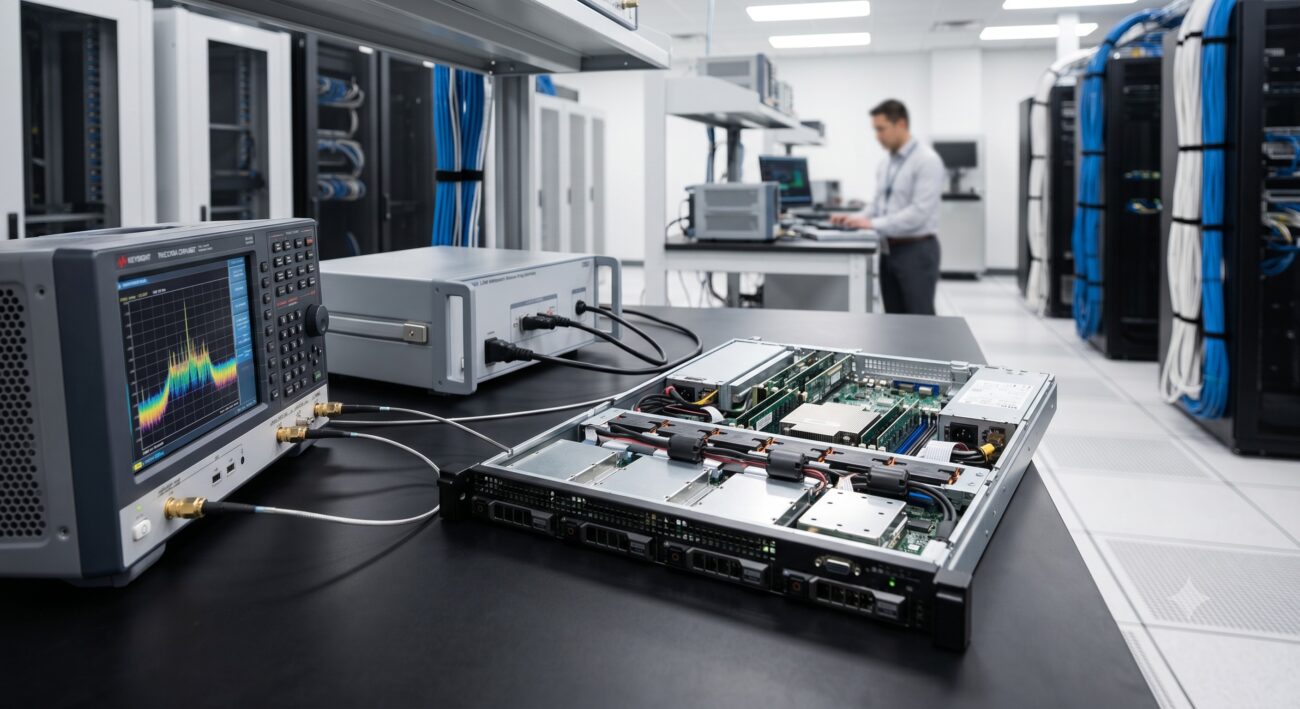
- First, conduct a site survey to measure the ambient EMI spectrum (30 MHz to 6 GHz) with a near-field probe and spectrum analyzer while the device is in its typical load state. Compare against the emissions profile from your accredited test lab. Common mismatches occur due to different cable configurations (e.g., customers using 30 m unshielded cables vs. your 3 m shielded test setup). Implement on-site fixes: install clamp-on ferrites (Fair-Rite #31 material) on all cables within 10 cm of the device enclosure, tighten all chassis screws to ensure continuous bonding, and temporarily replace the power supply with a medical-grade low-EMI model to isolate conducted emission sources.
- Q7: How do I pre-qualify a DC power supply for EMC compliance before submitting the full system for certification?
- Perform a simplified conducted emissions scan using a LISN (Line Impedance Stabilization Network) and a real-time spectrum analyzer with quasi-peak detection. Focus on frequency bands 150 kHz–30 MHz. Pass criteria: at least 6 dB below CISPR 32 Class B limits for the intended market. Also verify surge immunity (IEC 61000-4-5) by applying 1.2/50 µs waveform at ±1 kV common mode; the supply must not hiccup or drop output more than 10%. Ask the PSU vendor for independent test reports per EN 55032 and EN 61000-3-2 (harmonics). Reject supplies without internal input filtering or with non-isolated DC-DC topologies.
- Q8: Can firmware updates change a device’s EMC profile, and how do I roll back if a new version fails compliance?
- Yes, firmware changes can alter switching regulator frequencies, spread spectrum clocking (SSC) parameters, or driver pre-emphasis levels—all affecting EMI. For example, a firmware update that disables SSC on a 25G SerDes can increase radiated peaks by 4-6 dB at the clock harmonic. To roll back, keep a signed baseline firmware image that has passed full EMC testing. Use the device’s bootloader rescue mode (e.g., pressing the reset button during power-on) to force a fallback. Always request EMC delta validation from the vendor prior to installing major firmware versions.

Leave a comment