
For network teams drowning in multi-vendor complexity, the command-line interface battle between Arista and Cisco isn’t academic nitpicking—it’s a daily operational reality. When your core infrastructure hits a performance wall or security patches demand urgent deployment, whether you’re staring at EOS prompts or IOS-XE hierarchies dictates how fast you move. Engineers feel this friction in their bones: unfamiliar syntax burns hours during outages, training gaps create deployment bottlenecks, and automation dreams crumble under inconsistent APIs. The switch commands you standardize directly impact mean-time-to-repair, team flexibility, and ultimately, business uptime. Ignoring the philosophical split between these platforms means ignoring how quickly your network adapts to cloud integrations or zero-trust architectures.
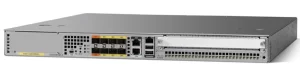
So what fundamentally separates Arista’s approach from Cisco?
Linux Roots vs. Legacy Hierarchy
Arista’s EOS leverages Linux foundations, making bash veterans feel instantly at home. Need packet captures? Just run tcpdump directly on the switch. Configurations live in plain-text files editable with standard Linux tools. This familiarity slashes onboarding time for DevOps-savvy teams. Cisco, meanwhile, retains its proprietary command hierarchies (configure terminal, interface GigabitEthernet0/1, switchport mode access). It’s structured but rigid—great for veterans with muscle memory, punishing for newcomers. Moving VLAN configurations between platforms? Arista uses simple vlan statements; Cisco demands nested vlan + interface mode juggling. One syntax feels like infrastructure-as-code; the other feels like navigating a legacy menu system.
Automation Reality Check
Arista bakes APIs and eAPI (RESTful endpoints) into its core, treating CLI as just another client. Pushing configs via Python scripts feels native. Cisco requires enabling APIs separately (like RESTCONF), adding setup overhead. While both support Ansible, Arista’s model-first EOS simplifies YAML playbooks—you manipulate structured data, not screen scraped CLI outputs. Cisco’s command-centric approach often forces brittle regex parsing. The result? Arista automators spend cycles refining workflows; Cisco teams wrestle with parsing edge cases.
Operational Muscle Memory
Ever tried rerouting traffic during a fiber cut? Cisco’s classic show ip route or show bgp neighbors delivers dense, router-style outputs requiring interpretation. Arista defaults to concise show ip route summary or show bgp summary —engineers get critical data faster. Both platforms accomplish the task, but daily fire drills reveal whose syntax cuts cognitive load. Arista’s trace command also trounces Cisco’s traditional traceroute for hop-by-hop latency insights. Small efficiencies compound when triaging P1 outages.
Future-Proofing Your Team
For cloud-native deployments, Arista’s containerized EOS (cEOS) runs identically in AWS or on hardware—your scripting investment stays portable. Cisco’s cloud switches sometimes diverge subtly from on-prem syntax, forcing dual-maintenance. Arista’s commitment to Linux tooling also simplifies pipeline integrations (think Prometheus for telemetry). Cisco counters with DNA Center’s GUI, but CLI traditionalists chafe at abstraction layers.
Ultimately, choosing between Arista switch commands vs Cisco pivots on who troubleshoots your network at 2 AM and how quickly they react. Arista’s Linux-inspired syntax lowers barriers for automation-focused teams prioritizing speed and API-first operations. Cisco’s structured CLI offers stability and depth for specialists managing complex legacy environments. Neither’s “better”—it’s about whose philosophy amplifies your team’s strengths. Syntax shapes behavior: Arista encourages programmatic experimentation; Cisco rewards meticulous procedural knowledge. When unplanned downtime costs $5,000 per minute, does your CLI empower rapid decisions… or demand ritualistic commands? That choice bleeds straight into latency metrics, outage durations, and business credibility. Your command line isn’t just a tool—it’s your network’s throttle.







Leave a comment