
That moment when you unbox a new Cisco 2960 switch – pristine, promising, packed with potential. It’s the workhorse of your access layer, destined to connect phones, APs, workstations, printers, cameras… everything that powers daily operations. But here’s the cold truth: skipping just one line in the step-by-step configuration, misjudging a VLAN assignment, or underestimating security locks doesn’t just cause minor hiccups. It threatens to buckle the foundational reliability of your entire edge network. Deploying these switches without rigorous process invites phantom packet loss that kills VoIP calls, security gaps attackers exploit before lunch, and management nightmares leaving you troubleshooting at 2 AM. This step-by-step isn’t theory; it’s the blueprint separating networks that hum from those that hemorrhage productivity. When 50 users hit “send” simultaneously tomorrow, will your 2960 configuration hold firm – or fold?
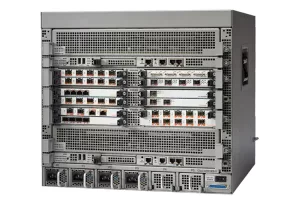
So, the critical question: Will Hidden Setup Pitfalls Crush Your Network’s Spine? Absolutely – if you rush the process. The Cisco 2960 is robust, but its implementation dictates success. Avoid these abyss-inducing traps through deliberate execution:
Phase 1: Groundwork & Physical Prep (Where Disaster Avoidance Starts)
- Consoles & Power First: Skip plugging straight into Ethernet. Grab the blue console cable, connect terminal software (Tera Term, PuTTY – 9600 baud, 8N1). Secure external backups (TFTP, USB) before startup for DR. Position switches ensuring adequate airflow clearance (side/top ventilation blocked = thermal shutdowns). For PoE models, calculate power budget:
show power inlinelater confirms capacity remains for adds. - Factory Reset: Brand-new isn’t always clean. Reboot, interrupt boot sequence (
Ctrl+Break), executeflash_init>load_helper>dir flash:to spot rogue configs. Delete hidden .cfg files:delete flash:config.text,delete flash:vlan.dat. Finish witherase startup-config>reload. Starting fresh avoids ghost configurations. - Document Relentlessly: IP plan, VLAN map, port assignments, hostnames. Deviate now = chaos later. Label the switch front panel ports physically as you proceed. Future techs won’t curse your name.
Phase 2: Core Configuration & Baseline Security
Config Terminal
! Set Identity & Defense
Hostname HQ-Floor3-Access-SW01 ! Descriptive hostname is mandatory
No ip domain-lookup ! Stops DNS query pauses crashing your CLI
Ip domain-name yourdomain.local ! Required for SSH key gen
Crypto key generate rsa modulus 2048 ! Strong encryption baseline
Ip ssh version 2 ! Enforce SSHv2 only
Line vty 0 15 ! Secure all VTY lines
 Transport input ssh ! DESTROY Telnet access forever
 Login local ! Or better: ‘login authentication AAA_METHOD’
 Password STRONGVTYpass! ! Temp if using local auth
 Exec-timeout 10 0 ! Kill idle sessions after 10 mins
 Exit
Enable secret STRONGENABLEpass! ! Secret > password (encrypted)
Service password-encryption ! Obscures plaintext passwords in config
Banner motd $ Authorized Access ONLY. Violators prosecuted. $ ! Legal deterrent
Username admin privilege 15 secret SUPERStrongSECRET ! Create admin user - Management Interface:
Interface vlan 1(or dedicated Mgmt VLAN)
Ip address 10.10.20.50 255.255.255.0(Per your IP plan!)
No shut
Ip default-gateway 10.10.20.1! Essential for off-net management
Exit
Phase 3: Fortifying Ports & Services
- Access Port Hardening:
Interface range GigabitEthernet 0/1-24(Adjust port range!)
Switchport mode access! Ports are access by default, but enforce
Switchport access vlan 10! Assign CORRECT data VLAN
Spanning-tree portfast! Bypass STP listening/learning on end-device ports
Spanning-tree bpduguard enable! Shutdown port if BPDU received (prevents rogue switches)
Shutdown! Start ports disabled
Exit - Trunk/Uplink Ports:
Interface GigabitEthernet 0/48(Uplink port)
Switchport trunk encapsulation dot1q
Switchport mode trunk
Switchport trunk allowed vlan 10,20,99! PRUNE UNNECESSARY VLANS
No shut
Exit - Kill Rogue Services:
No ip http server
No ip http secure-server(Unless essential AND secured)
No cdp run! Or restrict:cdp run+no cdp advertise v2+ ACLs
Phase 4: Operations & Resilience Setup
- NTP Time Sync:
Ntp server 10.10.10.5(Ensure time accuracy for logs!) - Logging:
Logging host 10.10.10.10(Central syslog server IP) - SNMP (If Used): Configure v3 only with auth/priv:
Snmp-server group SECUREgroup v3 priv
Snmp-server user SNMPadmin SECUREgroup v3 auth sha AESpass priv aes 256 STRONGencryptkey - Save Relentlessly:
Write memory(ALWAYS after validated changes) ANDCopy running-config tftp://10.10.10.15/HQ-SW01-backup.cfg
Phase 5: Validation – BEFORE Production Cutover
- Physical Check: Port LEDs (PoE powered devices recognized? Trunk links stable green?)
- Ping Test:
Ping 10.10.20.1(Default gateway reachable?) - VLAN Confirmation:
Show vlan brief(Correct ports in correct VLANs?) - Trunk Verification:
Show interfaces trunk(Native VLAN ok? Allowed VLANS pruned?) - STP Safety:
Show spanning-tree Gig0/48(Not BLK? Correct role?) - PoE Status:
Show power inline(Usage below max? Devices detected?) - Remote Access: SSH from management station (Works? Times out correctly?)
- Backup Confirmation: Verify TFTP/USB backup file exists and size matches.
Hidden setup pitfalls – like using default VLAN 1 for management, forgetting spanning-tree bpduguard on access ports, leaving Telnet active, mismatched trunks, or skipping backups – absolutely crush network spines. They manifest as broadcast storms collapsing segments, unauthorized VLAN hopping exfiltrating data, unreachable critical devices after a reboot due to missing configs, or preventable loops forcing outage postmortems. Following this disciplined step-by-step configure process for the Cisco 2960 switch transforms it from a potential liability into a resilient, manageable cornerstone. This rigor – starting physical, hardening relentlessly, validating every setting methodically – builds an access layer that withstands user demands, security probes, and inevitable change. Don’t gamble edge stability. Configure purposefully. Document obsessively. Verify ruthlessly. Because when that user traffic tsunami hits, your 2960’s spine won’t just hold – it’ll excel. Invest the time now to avoid catastrophic failure later. That pristine switch deserves nothing less.






Leave a comment