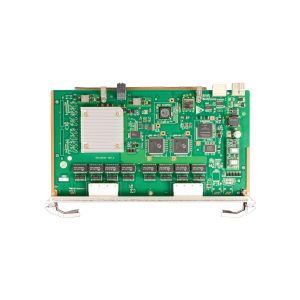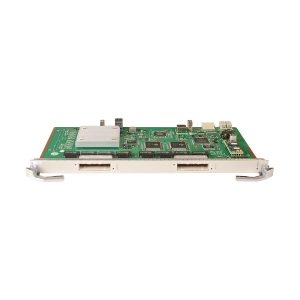


H901OXEG

1 Review Write a review
PNAA859366
AvailabilityIn Stock
huawei-ma5800 System Board
WarrantyUp to 36 months i
×
Warranty Policy
We provide a comprehensive warranty policy.
Refer to the table for more details.

Original price was: $0.00.Current price is: $0.00.

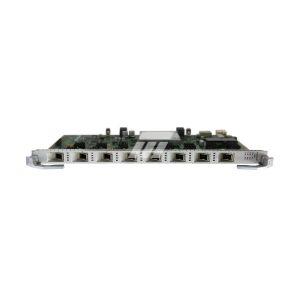
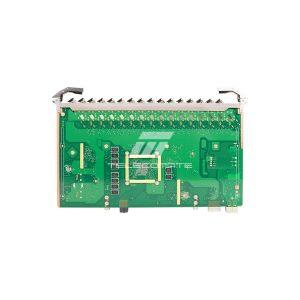
H901OXEG 24-channels 10GE/GE P2P interface board apply to Huawei MA5800 series

Description

H901OXEG Overview

Huawei H901OXEG is a P2P interface board, providing Ethernet optical access. It supports a maximum of 24 channels of 10GE/GE P2P access services. Apply to Huawei MA5800-X2, X7, X15, X17

Forwarding capability: 200 Gbit/s


Maximum frame size:

2052 bytes

9216 bytes (jumbo frame enabled)

Maximum number of MAC addresses: 262143

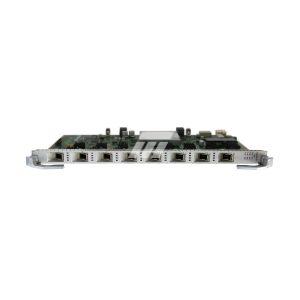
Front Panel

H901OXEG

H901OXEG Datasheet
Item H901OXEG
Function
Forwarding capability 200 Gbit/s
MAC number 262143
Temperature query Supported
Link aggregation Supported
MSTP ring network protection Supported
Protection group Supported
Clock synchronization SyncE
Maximum Frame Size 2052 bytes 9216 bytes(jumbo frame enabled)
Automatic shutdown at high temperature Supported
High temperature alarm Supported
Environment
Operating temperature  -40°C to +65°C
Power Consumption Static: 88 W Maximum: 144 W

What service boards are supported for MA5800 series OLT?

GPON Board: GPHF/GPUF/GPLF/GPSF
XGPON Board: XGHD
GPON&XGPON combo Board: CGHF
XGS-PON Board: XSHF/XSHD
XGS-PON&GPON combo Board: CSHF
Flex-PON Board: FLHF

What are the differences between MPLA and MPLB? What versions are available?

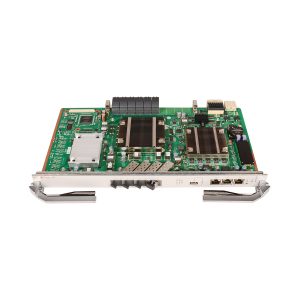
MPLA and MPLB both integrated with4*GE/10GE uplink port, the difference is that MPLA supports 100G slot bandwidth, while MPLB supports 200G.
Currently available version are H901/H902/H903/H907MPLB and H901/H902/H903/H905MPLA.

What are the uplink board of the MA5800?

NXED:8-10GE uplink board
NCEB: 2-port Enhanced 100GE Uplink Interface Board

What sub-rack models are available in the MA5800 series?

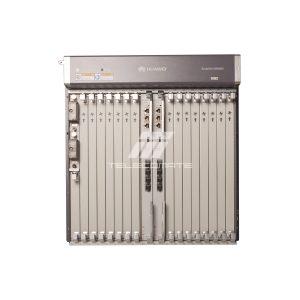
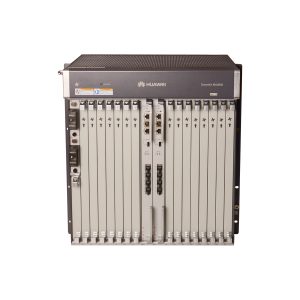
*MA5800-X2: 2 service slots
*MA5800-X7: 7 service slots
*MA5800-X15: 15 service slots
All models share the same software system and service boards.

How to add local digitmap for Huwei ONT?

Because the specific ONT model is unknown, you can refer to the general ONT configuration method for configuring the ONT digitmap.
1. Log in to the WebUI of the Huawei ONT.
2. In the navigation tree on the left, choose Advanced Configuration > Voice > VoIP Basic Configuration. In the pane on the right, parameters of a VoIP interface can be configured, including the IP addresses of the primary server and secondary server, and digitmap.

Additional information

Weight 3.0000 kg
Dimensions 49.0000 × 32.5000 × 7.5000 cm
MA5800

Reviews

  1. Khan

    We ordered 30pcs OXEG with good prices during this special virus time, shipping is a little expensive but within our budget.

Add a review

Your email address will not be published. Required fields are marked *

  +  86  =  88

Back to Top

Search For Products

Product has been added to your cart