
Choosing the right switch for your network isn’t just about buying the first device you see—it’s about understanding your network’s needs both today and down the road. Whether you’re setting up a small office or scaling an enterprise data center, the switch plays a central role in how devices communicate, how fast data moves, and how securely your operations run. From the number of ports and their types to advanced capabilities like layer 3 switching and security protocols, each feature contributes to the overall performance and reliability of your network. This guide breaks down the key factors you should evaluate, helping you make a smart decision that fits your requirements and budget, all while avoiding common pitfalls like under-sizing or overpaying for features you don’t need.
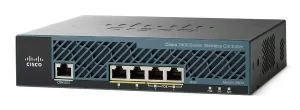
Number of Ports: How Many Do You Really Need?
The number of ports is one of the first things to consider. It determines how many devices—like computers, printers, cameras, or access points—can be wired directly to your switch. If you’re working with around 16 devices and don’t expect major growth, a 24-port switch should be sufficient. But if your network is larger, or you’re planning to expand, going for a 48-port model (or stacking multiple switches) gives you the flexibility to add more connections without a hassle later. Also, keep in mind that some ports are used for uplinks to routers or other switches, so it’s smart to reserve a few for infrastructure.
Understanding Port Types and Speed
Not every port is the same. You’ll see different rates—Fast Ethernet (100M), Gigabit (1000M), and even 10 Gigabit—and physical types like RJ45, SFP (fiber), or PoE-enabled ports. PoE is especially useful for powering devices like IP phones, wireless APs, or security cameras over the same cable that carries data. Think about what your connected devices require. If most of your traffic is internal and high-volume, Gigabit or higher will help prevent bottlenecks. Also, consider mixing copper and fiber ports based on distance and noise immunity needs.
Features and Functions: More Than Basic Switching
Basic unmanaged switches are plug-and-play, but if you need control over traffic, security, or quality of service, you’ll want a managed switch. Look for support for VLANs, QoS, ACLs, STP, and even Layer 3 routing if you need inter-VLAN communication. Security features like 802.1X authentication, loop detection, and IGMP snooping help protect and stabilize your network. If high availability is critical, check for hardware redundancy—like dual power supplies—and protocol support such as ERPS or VRRP.
Backplane Bandwidth: What’s Flowing Behind the Scenes?
The backplane bandwidth tells you how much data the switch can handle internally—think of it like the number of lanes on a highway connecting all the ports. If it’s too low, your switch might slow down under heavy load, especially when many devices are communicating at once. Higher backplane bandwidth means better performance and more headroom for simultaneous traffic. For non-blocking operation, make sure the total bandwidth is at least the sum of all port speeds. This is especially important in aggregated or backbone links.
Packet Forwarding Rate: Keeping Traffic Smooth
The packet forwarding rate (or throughput) measures how many data packets the switch can process per second without dropping any. This is a key indicator of real-world performance, particularly for latency-sensitive applications like VoIP or video streaming. A switch that can’t keep up will become a bottleneck. Look for models that offer wire-speed switching across all ports—meaning they can forward traffic at the full rate of each interface, whether you’re using Layer 2 or Layer 3 features.
Brand and Use Case: Finding the Right Fit
Brand reputation and ecosystem compatibility matter. Companies like Cisco, Huawei, H3C, and Ruijie offer reliable solutions across different market segments. Cisco is often preferred for large enterprise networks for its features and support, while Huawei and H3C provide strong alternatives, especially in regions like Asia. Your choice should reflect your network’s scale, future growth plans, and integration with existing gear. Don’t forget to check software support and firmware update policies—it can make a big difference in long-term usability.
Selecting the best switch involves balancing technical requirements, budget, and future needs. There’s no one-size-fits-all solution, but by paying attention to these core aspects—ports, performance, features, and reliability—you’ll build a stable and scalable network. Always test in a lab or staged environment if possible, especially when deploying new features or integrating with legacy systems. For further guidance and a wide selection of switches tailored for different scenarios, visit telecomate.com.







Leave a comment