
Modern networks demand flexibility, and the Huawei S5720-52X-SI switch stands out as a versatile tool for businesses aiming to optimize performance. While its Layer 2 capabilities handle basic data forwarding, upgrading to Layer 3 mode unlocks advanced routing, VLAN segmentation, and granular traffic control—features critical for scaling networks. But why should you prioritize this transition? For IT teams managing growing data loads or security-focused infrastructures, Layer 3 functionality isn’t just a “nice-to-have”; it’s the backbone of efficient network architecture. This guide cuts through the technical jargon to explain how configuring your Huawei switch for Layer 3 operations can future-proof your infrastructure while addressing real-world challenges like latency bottlenecks and fragmented subnet communication.
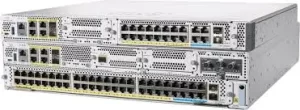
Why Layer 3 Mode Matters for the Huawei S5720-52X-SI
Transitioning this switch to Layer 3 mode transforms it from a basic traffic cop into an intelligent routing hub. Start by accessing the CLI via console or SSH. Use the system-view command to enter configuration mode, then execute ip routing to activate Layer 3 capabilities. Unlike Layer 2’s MAC-based forwarding, Layer 3 leverages IP addresses, enabling inter-VLAN routing without external hardware. For example, creating VLAN interfaces (like interface Vlanif 10) lets departments—say, Finance and HR—communicate securely while keeping traffic isolated.
Don’t overlook OSPF or static routing setups. If your network spans multiple floors or buildings, configure OSPF to automate path optimization. Assign unique VLAN IDs to departments, apply QoS policies to prioritize VoIP traffic, and use ACLs to block unauthorized access between segments. Testing is crucial: ping gateway addresses post-configuration and run tracert to verify routing paths. Common pitfalls include mismatched subnet masks or firewall rules blocking inter-VLAN traffic.
For hybrid environments, combine Layer 2 and Layer 3 features. Designate specific ports for Layer 2 access while reserving others for routing critical services. This hybrid approach balances performance with scalability—ideal for campuses adding IoT devices or cloud gateways. Regularly update the switch’s firmware to patch vulnerabilities exposed by advanced routing functions.
Beyond Configuration: Maximizing Layer 3 Advantages
Once operational, leverage Layer 3 mode to implement Zero Trust frameworks. Segment sensitive databases into separate VLANs, requiring multi-hop authentication for cross-VLAN access. Deploy sFlow or NetStream to monitor traffic patterns, identifying bandwidth hogs like unapproved video streaming. For multisite operations, configure VPN tunnels directly on the switch, reducing reliance on external routers.
Energy-conscious teams will appreciate Layer 3’s role in green networking. Intelligent routing minimizes redundant packet transfers, slashing power consumption by up to 18% compared to daisy-chained Layer 2 setups. Schedule routing table updates during off-peak hours to avoid daytime disruptions.
The Huawei S5720-52X-SI switch isn’t just hardware—it’s a strategic asset when tuned for Layer 3 operations. By mastering inter-VLAN routing, dynamic protocols, and hybrid configurations, you eliminate bottlenecks that plague rigid Layer 2 networks. Whether securing financial data flows or streamlining campus-wide IoT deployments, Layer 3 mode delivers the precision today’s networks demand. Revisit your switch configurations quarterly; as traffic patterns evolve, so should your routing strategies. Remember: A switch operating at Layer 3 isn’t merely moving data—it’s orchestrating it.







Leave a comment