
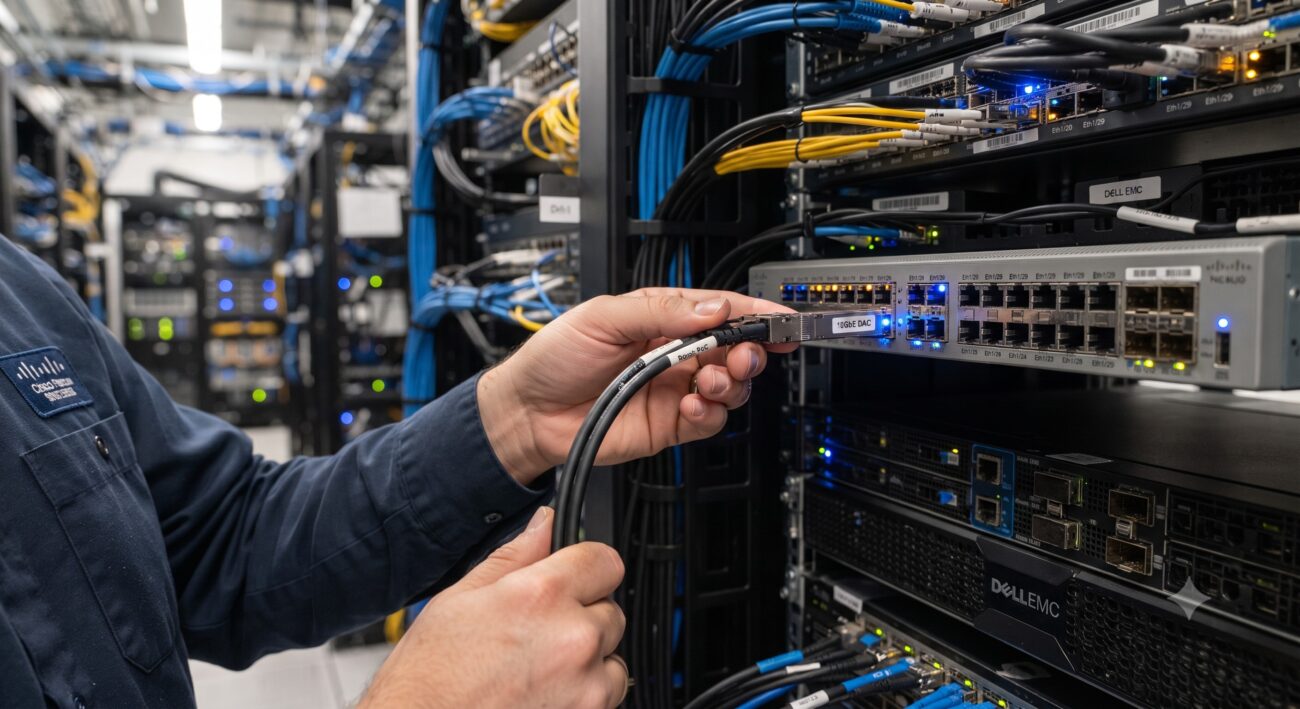
Overview & Thematic Scope
In the world of high-speed data center interconnects, Direct Attach Copper (DAC) cables offer a cost-effective, low-power solution for short-reach links. However, a persistent question plagues network engineers and procurement specialists alike: Do these cables need to be ‘coded’ for specific switch brands to function correctly? This FAQ cuts through the marketing noise to deliver definitive, technical answers on DAC compatibility, covering everything from pre-sales planning to post-deployment troubleshooting, ensuring your network operates at peak efficiency without unexpected vendor lock-in.
Frequently Asked Questions
- Q1: Do DAC cables absolutely need to be coded for a specific brand like Cisco or Arista?
- No, DAC cables do not absolutely need brand-specific coding to transmit data, but they almost always require correct coding to be recognized and enabled by the switch’s operating system. The electrical signaling is standard, but the switch’s software performs a Digital Diagnostic Monitoring (DDM) and EEPROM check. If the cable’s memory doesn’t report a compatible Vendor OUI (Organizationally Unique Identifier) and part number, the port will usually be administratively shut down or error-disabled, preventing the link from coming up. Therefore, while the hardware is universal, the ‘coding’ or ‘burning’ of the EEPROM is a mandatory operational requirement.
- Q2: What exactly is ‘DAC cable coding’ and what information is stored in its EEPROM?
- Coding refers to the process of writing specific data into the cable’s built-in EEPROM (Electrically Erasable Programmable Read-Only Memory) using an I2C interface. This memory block contains vital identification fields that the host switch reads during initialization. The key information includes the Vendor Name, Vendor OUI, Vendor Part Number, Revision Level, Serial Number, and the cable’s length and passive/active type. The switch uses this data to verify that the cable is an ‘approved’ or ‘supported’ accessory before allocating resources and enabling the laser or line driver. Essentially, it’s the cable’s digital passport for network admission.
- Q3: If I plug in an uncoded or ‘generic’ DAC cable, what will happen?
- The specific behavior depends entirely on the switch vendor’s policy. In most enterprise-grade switches from leading vendors, the port will either fail to come up entirely, or it will be placed in an ‘err-disabled’ state, blocking all traffic. You will typically see a console log message such as ‘Unsupported transceiver’ or ‘GBIC not supported.’ In some cases, the link may appear physically up but with severely degraded performance or no data transmission. Some vendors, like MikroTik or older Foundry switches, are more permissive and might allow a generic cable to work; however, relying on this is highly risky for production environments as it voids support and can lead to unpredictable behavior.
- Q4: Can I recode or reprogram a DAC cable myself to make it compatible with my switches?
- Yes, technically, it is possible to reprogram the EEPROM of a DAC cable using specialized hardware programmers and software, but it is strongly discouraged. This process involves physically connecting a programmer to the cable’s I2C pins and overwriting the vendor blocks, which often requires technical expertise and voiding any warranty. Furthermore, many modern switches now employ cryptographic handshakes or enhanced authentication protocols that are not easily bypassed. A single error during the recoding process can permanently brick the cable. For production environments, the risk of downtime and the loss of vendor support make recoding a poor strategic choice compared to purchasing correctly coded cables from reliable third-party suppliers.
- Q5: Are ‘third-party’ or ‘compatible’ DAC cables that are pre-coded for major brands a reliable solution?
- Absolutely, pre-coded third-party DAC cables are a widely adopted and highly reliable solution in the industry. Reputable third-party manufacturers (like FS.com, 10Gtek, etc.) purchase OEM cables or manufacture their own and use professional programmers to code the EEPROM with the exact vendor-specific IDs required for Cisco, Arista, Juniper, Dell, and others. These cables are typically tested for compatibility and come with a guarantee to work seamlessly. The primary advantage is significant cost savings (often 50-80% less than OEM) while maintaining full functionality, including accurate Digital Diagnostics Monitoring (DDM) readings for cable health and troubleshooting.
- Q6: What are the most common troubleshooting steps for a DAC cable that is not being recognized?
- When a DAC fails to be recognized, your troubleshooting checklist should be systematic. First, verify the cable’s physical health—check for bent pins or damage. Second, use the switch’s CLI command to query the transceiver details (e.g., ‘show interface ethernet X transceiver details’). Third, check the switch’s logs for error messages indicating coding mismatch. If uncoded, you have two options: accept it won’t work and replace it, or if your switch supports a ‘third-party compatible’ or ‘unsupported transceiver’ command (e.g., ‘service unsupported-transceiver’), you can enable it. However, this is a global command and can bypass safety checks for other modules, so it’s a last-resort workaround. Always check your switch’s hardware compatibility matrix before deployment.
- Q7: For procurement, how should I specify DAC cables to ensure compatibility from day one?
- When procuring DAC cables, you must be explicit and avoid assumptions in your purchase order. Always specify the exact switch brand and model (e.g., ‘for Cisco Nexus 9000 series’) and the specific operating system version if known. For passive DACs, ensure the length does not exceed the recommended distance for your data rate (e.g., 7m for 40G/100G passive). For third-party options, select a reputable vendor that clearly states the coding compatibility upfront and offers a ‘guaranteed compatibility’ warranty. Request a sample for testing in your lab environment before mass deployment to validate the coding and performance under your specific firmware. This pre-sales diligence will save considerable post-sales troubleshooting time.

Leave a comment